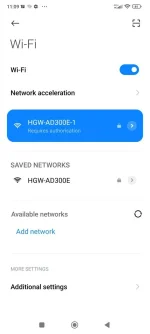
Hello! I'm sorry to hear that you're experiencing internet connectivity issues with Surf2Sawa. Losing internet access can be frustrating, especially when you rely on it for your daily activities. Here are a few steps you can try to troubleshoot the problem:
1. Check your modem and router: Make sure all the cables are securely connected and that the power is on. Try restarting both the modem and router by unplugging them from the power source, waiting for a few minutes, and then plugging them back in.
2. Verify signal strength: Check the signal strength on your device. If you're too far away from the Wi-Fi router, try moving closer to see if that improves the connection. Also, check if other devices are able to connect to the internet.
3. Clear cache and cookies: Sometimes, clearing the cache and cookies on your device can help resolve internet connectivity issues. Go to the settings of your device, find the browser you're using, and clear the cache and cookies.
4. Reset network settings: If clearing the cache and cookies doesn't work, you can try resetting your network settings. This will remove any saved Wi-Fi networks and their passwords, so make sure you have them handy. Go to the settings of your device, find the network settings, and choose the option to reset them.
5. Contact customer support: If none of the above solutions work, it's best to contact Surf2Sawa customer support. They have access to your account details and can provide specific assistance tailored to your situation. Explain the issue you're facing, what troubleshooting steps you've already tried, and ask them to investigate further.
Remember to be patient and polite when dealing with customer support. They are there to help you and will do their best to assist you in resolving the issue. Good luck, and I hope your internet connection gets restored soon!
 PH
PH