 PH
PHStellar Repair for Photo v8.7.0.2 (All Editions) + Craack
Stellar Repair for Photo Overview
Stellar Repair for Photo software is the best DIY tool to repair corrupt or damaged photos having .JPG or .JPEG file extension. If your JPEG images appear distorted, split, blurred, pixelated, software will help you resurrect your prized memories.
Key Features of Stellar Repair for Photo
Repair JPEG File
Repairs corrupted or damaged JPEG image files and recover them back from the flash memory cards, memory sticks, computer hard drives or any other secondary storage media. Stellar JPEG Repair fixes your completely unreadable JPEG files even under the situations of corrupt header, corrupt JPEG data, invalid JPEG file structure, unknown or invalid JPEG marker, missing SOS marker etc.
Extract Thumbnails of Corrupted Files
This JPEG recovery software can easily extract the embedded thumbnail image of severely corrupt JPEG files without compromising its visual fidelity. This feature is particularly important for all JPEG images, which have undergone damages or corruptions beyond repair. With Stellar Repair for Photo, you can get the thumbnail images of those files.
Preview of Repaired JPEG Files
JPEG recovery tool provides an option to preview repaired jpeg files after scan so that you can check for inconsistencies in your repaired images prior to saving. The tool has a knack of repairing all images intact. Once you find that there are no differences, you can choose to save them at any location of your storage media.
Easy to Use Interface
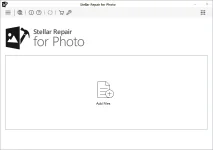
Stellar Repair for Photo software is very easy to use with its straightforward and intuitive GUI. You will find a progress bar that reveals the exact status of a scanning or saving process. After completion of a task, you are provided with appropriate messages to know if the task completed successfully.
INSTRUCTIONS
1. Install software using given installer (in Setup folder)
2. Close program if running (Even from system tray)
3. Extract "Craack zip" file and Copy its content to program's installation folder (confirm replacing, if asked)
4. That's it, Enjoy!
LINKS
You do not have permission to view the full content of this post. Log in or register now.
Stellar Repair for Photo Overview
Stellar Repair for Photo software is the best DIY tool to repair corrupt or damaged photos having .JPG or .JPEG file extension. If your JPEG images appear distorted, split, blurred, pixelated, software will help you resurrect your prized memories.
Key Features of Stellar Repair for Photo
Repair JPEG File
Repairs corrupted or damaged JPEG image files and recover them back from the flash memory cards, memory sticks, computer hard drives or any other secondary storage media. Stellar JPEG Repair fixes your completely unreadable JPEG files even under the situations of corrupt header, corrupt JPEG data, invalid JPEG file structure, unknown or invalid JPEG marker, missing SOS marker etc.
Extract Thumbnails of Corrupted Files
This JPEG recovery software can easily extract the embedded thumbnail image of severely corrupt JPEG files without compromising its visual fidelity. This feature is particularly important for all JPEG images, which have undergone damages or corruptions beyond repair. With Stellar Repair for Photo, you can get the thumbnail images of those files.
Preview of Repaired JPEG Files
JPEG recovery tool provides an option to preview repaired jpeg files after scan so that you can check for inconsistencies in your repaired images prior to saving. The tool has a knack of repairing all images intact. Once you find that there are no differences, you can choose to save them at any location of your storage media.
Easy to Use Interface
Stellar Repair for Photo software is very easy to use with its straightforward and intuitive GUI. You will find a progress bar that reveals the exact status of a scanning or saving process. After completion of a task, you are provided with appropriate messages to know if the task completed successfully.
INSTRUCTIONS
1. Install software using given installer (in Setup folder)
2. Close program if running (Even from system tray)
3. Extract "Craack zip" file and Copy its content to program's installation folder (confirm replacing, if asked)
4. That's it, Enjoy!
LINKS
You do not have permission to view the full content of this post. Log in or register now.