 PH
PH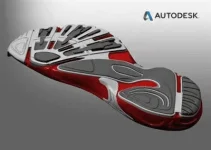
Autodesk Crispin Engineer Pro 2016 SP4 x64
Crispin Engineer is a You do not have permission to view the full content of this post.
Log in or register now. International Design Pattern Shoes by many manufacturers large and small around the world used to be and always has tried to feedback users to achieve comprehensive and powerful design tools patterns Two-dimensional / three-dimensional shoes are used. Although experienced designers can draw new patterns by spending a short time, they should also note that if the patterns are digitized, they can be edited and rebuilt with greater accuracy and speed. . Flattened shapes and style lines can be used to create new shoe patterns. In the Crispin Engineer, you can move the various parts of the shoe pattern that are marked with the lines with the mouse and easily change the boundaries of each part.
Crispin Engineer is a You do not have permission to view the full content of this post. Log in or register now. International Design Pattern Shoes by many manufacturers large and small around the world used to be and always has tried to feedback users to achieve comprehensive and powerful design tools patterns Two-dimensional / three-dimensional shoes are used. Although experienced designers can draw new patterns by spending a short time, they should also note that if the patterns are digitized, they can be edited and rebuilt with greater accuracy and speed. . Flattened shapes and style lines can be used to create new shoe patterns. In the Crispin Engineer, you can move the various parts of the shoe pattern that are marked with the lines with the mouse and easily change the boundaries of each part.
Key features of Crispin Engineer software :
Designing and modeling shoes with easy to-use tools
Drawing new shoes patterns in the least amount of time
Reducing production costs
Increasing the suitability of a designed shoe pattern
Sharing patterns
Creating patterns Correctness Ultimately Accuracy and elegance
Increasing accuracy in the final patterns
Easier editing
Using style lines to draw a shoe pattern
And ...
Delcam CRISPIN announces the 2016 release of Engineer Pro CAD software its a powerful yet easy-to-use 2D pattern engineering solution.
Engineer is the international market-leading model of CAD software used by both world brands and small manufacturers. Years of feedback and development make it the most comprehensive and powerful yet easy-to-use 2D pattern engineering solution.
We understand that experienced model engineers produce new patterns by hand quickly. With Engineer, you can digitise patterns easily so you can edit them faster and with more precision. An engineer also makes grading and group grading easy so you no longer need to rely on a third party.
Together, these features give you total control over tooling costs and eliminate the need to make compromises in production, so you get your designs to produce faster.
Autodesk (ex Delcam) Crispin Engineer Pro 2016
Features:
- FAST AND ACCURATE PATTERN CREATION
Drag and drop edge-types Onto a net boundary edge to create margins, markers and notches quickly
- Modify YOUR DESIGN FASTER AND WITH PRECISION
Update associated pieces such as lining automatically
- MAXIMIZE PATTERN PIECE EFFICIENCY -
This is how the pattern piece can be divided or reshaped to increase efficiency
- ENSURE ACCURACY EASILY
Output to most cutting systems for prototypes
- REDUCE TIME CREATING PATTERNS
Open a model that you have designed in ShoeMaker to automatically create your 2D pattern automatically
- CREATE PARTS INSTANTLY
Create boundaries with a single mouse click
- CREATE DESIGN VARIATIONS RAPIDLY
Automatically adapt your pattern to fit a new last forme
Business Benefits:
- ACCURATE PATTERNS IN LESS TIME
Edit digital patterns with precision quickly so you do not have to make compromises in production
- REDUCE TIME TO MANUFACTURE
Remove the need to start from scratch each time you edit a pattern so you get to manufacture faster
- Spend LESS TIME Grading
Accurately grade and group grade patterns to reduce Reliance on third party services
- Increase PATTERN EFFICIENCY
Get an instant pattern efficiency rating so you achieve an appropriate production cost
- SHARE PATTERNS WITH COLLEAGUES
Download the free 2D viewer from our website and your colleagues or suppliers can add notes from anywhere in the world
- Use flattened forms and style lines to create a new standard
- Duplicate dependant lines and convert to baselines
- Apply offsets for skiving and folding, and markers for alignment
- Merge multiple style lines into single entities
- Apply stack for eyelets and perforations
- 2D last forme and style line flattening
- Use mouse to draw pattern patterns directly to the workspace
- Split an existing baseline or join two baselines together
- Modify existing baselines to spring or deaden a pattern
- Create pattern pattern boundaries with a single mouse click
- Trace a shell or pattern on the screen as a low-cost alternative to digitizing
- Organize work into separate layers to clearly view complex patterns.
More info (open / close)
Specifications
You do not have permission to view the full content of this post.
Log in or register now.
Manufacturer: You do not have permission to view the full content of this post.
Log in or register now.
File Size: 238.27 MB Release Date: 10:00 - 1394/11/7 | 2016.01.27
Installation guide
Use the tips in the Read Me.txt file to install the software.
Engineer is the international market-leading model of CAD software used by both world brands and small manufacturers. Years of feedback and development make it the most comprehensive and powerful yet easy-to-use 2D pattern engineering solution.
We understand that experienced model engineers produce new patterns by hand quickly. With Engineer, you can digitise patterns easily so you can edit them faster and with more precision. An engineer also makes grading and group grading easy so you no longer need to rely on a third party.
Together, these features give you total control over tooling costs and eliminate the need to make compromises in production, so you get your designs to produce faster.
Autodesk (ex Delcam) Crispin Engineer Pro 2016
Features:
- FAST AND ACCURATE PATTERN CREATION
Drag and drop edge-types Onto a net boundary edge to create margins, markers and notches quickly
- Modify YOUR DESIGN FASTER AND WITH PRECISION
Update associated pieces such as lining automatically
- MAXIMIZE PATTERN PIECE EFFICIENCY -
This is how the pattern piece can be divided or reshaped to increase efficiency
- ENSURE ACCURACY EASILY
Output to most cutting systems for prototypes
- REDUCE TIME CREATING PATTERNS
Open a model that you have designed in ShoeMaker to automatically create your 2D pattern automatically
- CREATE PARTS INSTANTLY
Create boundaries with a single mouse click
- CREATE DESIGN VARIATIONS RAPIDLY
Automatically adapt your pattern to fit a new last forme
Business Benefits:
- ACCURATE PATTERNS IN LESS TIME
Edit digital patterns with precision quickly so you do not have to make compromises in production
- REDUCE TIME TO MANUFACTURE
Remove the need to start from scratch each time you edit a pattern so you get to manufacture faster
- Spend LESS TIME Grading
Accurately grade and group grade patterns to reduce Reliance on third party services
- Increase PATTERN EFFICIENCY
Get an instant pattern efficiency rating so you achieve an appropriate production cost
- SHARE PATTERNS WITH COLLEAGUES
Download the free 2D viewer from our website and your colleagues or suppliers can add notes from anywhere in the world
- Use flattened forms and style lines to create a new standard
- Duplicate dependant lines and convert to baselines
- Apply offsets for skiving and folding, and markers for alignment
- Merge multiple style lines into single entities
- Apply stack for eyelets and perforations
- 2D last forme and style line flattening
- Use mouse to draw pattern patterns directly to the workspace
- Split an existing baseline or join two baselines together
- Modify existing baselines to spring or deaden a pattern
- Create pattern pattern boundaries with a single mouse click
- Trace a shell or pattern on the screen as a low-cost alternative to digitizing
- Organize work into separate layers to clearly view complex patterns.
Specifications
You do not have permission to view the full content of this post. Log in or register now.
Manufacturer: You do not have permission to view the full content of this post. Log in or register now.
File Size: 238.27 MB Release Date: 10:00 - 1394/11/7 | 2016.01.27
Installation guide
Use the tips in the Read Me.txt file to install the software.