 PH
PHBAD_KING_PH OFFICIAL
Forum Master
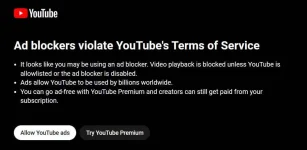
How to Disabled YT ADs P0pUp 2023
FOR PC ONLY!Step by Step:
1. Download and Install "You do not have permission to view the full content of this post. Log in or register now."
2. Remove all existing adblock extensions on your browser.
3. Select “uBlock Origin” from extensions tab and click on the settings icon.
4. Click on the “My filters” tab.
5. Copy and paste the following c0de:
Spoiler contents are visible only to Established Members.
6. Click on “Apply changes” and try watching some YouTube videos.
7. That's Its! God Bless Youu KaPatron.
// Done Success! The YouTube AD blockage p0pup as well as the Ads should be gone now.
#share

