 PH
PH
K
KULAS PERO CLASH
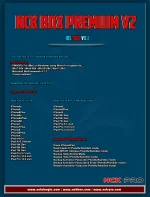
This iOS Tool is For Checkm8 Vulnerable iDevices !
Requirements:
-
- PWNDFU For (Mac or Windows) using Winra1n or gaster etc...
-
- Win7-X64 / Win8-X64 / Win10-X64 / Win11-X64
-
- Microsoft NetFramework 4.7.2
-
- iTunes Installed
Supported iOS Versions: Up to 16.X
Supported Models list as requested.
Boot IOS 11x to 15x
- iPhone5s
- iPhone6
- iPhone6Plus
- iPhone6s
- iPhone6sPlus
- iPhoneSE
- iPhone7
- iPhone7Plus
- iPhone8
- iPhone8Plus
- iPhoneX
- iPad mini 4
- iPad Air2 Cellular
- iPad 5th Gen.
- iPad 6th Gen.
- iPad 7th Gen.
- iPad Pro 9.7-inch
- iPad Pro 10.5 inch
- iPad Pro 12.9 inch
- iPhone5s
- iPhone6
- iPhone6Plus
- iPhone6s
- iPhone6sPlus
- iPhoneSE
- iPhone7
- iPhone7Plus
- iPhone8
- iPhone8Plus
- iPhoneX
- iPad mini 4
- iPad Air2 Cellular
- iPad 5th Gen.
- iPad 6th Gen.
- iPad 7th Gen.
- iPad Pro 9.7-inch
- iPad Pro 10.5 inch
- iPad Pro 12.9 inch
Boot iOS 16.0-16.X (No Boot Loop)
- iPhone8
- iPhone8Plus
- iPhoneX
- iPad 5th Gen.
- iPad 6th Gen.
- iPad 7th Gen.
- iPad Pro 9.7-inch
- iPad Pro 10.5 inch
- iPad Pro 12.9 inch
- iPhone8
- iPhone8Plus
- iPhoneX
- iPad 5th Gen.
- iPad 6th Gen.
- iPad 7th Gen.
- iPad Pro 9.7-inch
- iPad Pro 10.5 inch
- iPad Pro 12.9 inch
Supported Operations:
- Erase iPhone/iPad
- Read Apple iD (Pwndfu/Ramdisk mode)
- Read Wifi BT Address (Pwndfu/Ramdisk mode)
- Backup Hello Normal Mode
- Bypass Hello (Pwndfu/Ramdisk mode)
- Backup Activation Passcode (Pwndfu/Ramdisk mode)
- Backup Activation Passcode & Erase (Pwndfu/Ramdisk mode)
- Restore Activation Passcode (Pwndfu/Ramdisk mode)
- SSH Terminal allow advance users to use terminal commands to service phone.
- Erase iPhone/iPad
- Read Apple iD (Pwndfu/Ramdisk mode)
- Read Wifi BT Address (Pwndfu/Ramdisk mode)
- Backup Hello Normal Mode
- Bypass Hello (Pwndfu/Ramdisk mode)
- Backup Activation Passcode (Pwndfu/Ramdisk mode)
- Backup Activation Passcode & Erase (Pwndfu/Ramdisk mode)
- Restore Activation Passcode (Pwndfu/Ramdisk mode)
- SSH Terminal allow advance users to use terminal commands to service phone.
Help Manuals:
You do not have permission to view the full content of this post.
Log in or register now.
Official website:
You do not have permission to view the full content of this post.
Log in or register now.
You do not have permission to view the full content of this post.
Log in or register now.
You do not have permission to view the full content of this post.
Log in or register now.
Download from support area
OR
Mediafire
You do not have permission to view the full content of this post.
Log in or register now.
PASS for Installer: NckTeam
==================** Summary **=================
Supported iDevices features: [Passcode/Disabled/Hello] Vulnerable To Checkm8
Supported iOS Versions: | 12.X | 13.X | 14.X | 15.X | 16.X
Supported Models:
iPhone 5s, iPhone 6, iPhone 6+, iPhone6s, iPhone6s+, iPhoneSE, iPhone7, iPhone7+, iPhone8, iPhone8+, iPhoneX
iPad mini 4, iPad Air2, iPad 5th Gen, iPad 6th Gen, iPad 7th Gen, iPad Pro 9.7-inch, iPad Pro 10.5 inch, iPad Pro 12.9 inch
==================** Instructions **===============
1: Put Device into PWNDFU Mode Using winra1n or other trusted PWNDFU
2: Make Sure You Got Exploit Successful
3: Connect Device in PWNDFU Mode
4: Click on Check Device (DFU Mode)
5: Once BOOT SUCCESS, You Can proceed to next operation
============** Bypass [Passcode/Disabled] **===========
1: Connect Device in PWNDFU Mode
2: Click on Check Device (DFU Mode)
3: Click on Backup Activation (Passcode-Ramdisk Mode)
Once Done, Erase Device or Fresh Restore To The Latest iOS Version
Or to do both same time
Click on Backup Activation-Erase (Passcode-Ramdisk Mode)
4: When Done, Put Device into PWNDFU Mode Again
5. Boot Ramdisk PWNDFU
6: Click on Restore Activation (Passcode-Ramdisk Mode)
if You Get SSH ERROR During Activation-Backup Process, Do IPSW Restore
==============** Bypass Hello Screen **==============
1: Connect Device in Normal Mode
2: Click on Check Device (Normal Mode)
3: Click on Get Activation (Hello Screen - Normal Mode)
4: Once Done, Put Device into PWNDFU Mode and Click on (Activate Hello-Ramdisk Mode)
Supported iDevices features: [Passcode/Disabled/Hello] Vulnerable To Checkm8
Supported iOS Versions: | 12.X | 13.X | 14.X | 15.X | 16.X
Supported Models:
iPhone 5s, iPhone 6, iPhone 6+, iPhone6s, iPhone6s+, iPhoneSE, iPhone7, iPhone7+, iPhone8, iPhone8+, iPhoneX
iPad mini 4, iPad Air2, iPad 5th Gen, iPad 6th Gen, iPad 7th Gen, iPad Pro 9.7-inch, iPad Pro 10.5 inch, iPad Pro 12.9 inch
==================** Instructions **===============
1: Put Device into PWNDFU Mode Using winra1n or other trusted PWNDFU
2: Make Sure You Got Exploit Successful
3: Connect Device in PWNDFU Mode
4: Click on Check Device (DFU Mode)
5: Once BOOT SUCCESS, You Can proceed to next operation
============** Bypass [Passcode/Disabled] **===========
1: Connect Device in PWNDFU Mode
2: Click on Check Device (DFU Mode)
3: Click on Backup Activation (Passcode-Ramdisk Mode)
Once Done, Erase Device or Fresh Restore To The Latest iOS Version
Or to do both same time
Click on Backup Activation-Erase (Passcode-Ramdisk Mode)
4: When Done, Put Device into PWNDFU Mode Again
5. Boot Ramdisk PWNDFU
6: Click on Restore Activation (Passcode-Ramdisk Mode)
if You Get SSH ERROR During Activation-Backup Process, Do IPSW Restore
To The Latest iOS With [Data Preserving] To Avoid Unexpected Errors !
==============** Bypass Hello Screen **==============
1: Connect Device in Normal Mode
2: Click on Check Device (Normal Mode)
3: Click on Get Activation (Hello Screen - Normal Mode)
4: Once Done, Put Device into PWNDFU Mode and Click on (Activate Hello-Ramdisk Mode)