 PH
PHBAD_KING_PH OFFICIAL
Forum Master
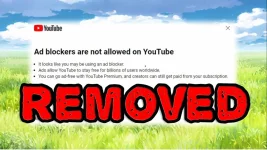
HOW TO BYPASS
YOUTUBE ANTI ADBLOCK POPUP
NEW 2023 (METHOD) 

YouTube pushed a new update that shows a popup preventing you from using AdBlock software. I found a script that bypasses this. Enjoy

1. Install Tampermonkey Extension:
You can find it for various browsers:
- Chrome
- For Firefox
- For Edge Users
- Opera / Opera GX
2. Open Tampermonkey Dashboard: Click on the Tampermonkey extension icon in your browser and select "Dashboard."
3. Create a New Script: In the Tampermonkey Dashboard, click on the "Utilities" tab and select "Create a new script."
4. C0py the Script:

You do not have permission to view the full content of this post. Log in or register now.

6. Save the Script: Make sure to save your script by clicking the floppy disk icon or using the shortcut Ctrl + S (or Cmd + S on Mac).
7. Enable the Script: Enable the script by clicking the switch next to the script name in the Tampermonkey Dashboard.
8. Once you've installed and enabled the userscript, it should start working automatically Enjoy.
9. That's it enjoy Gode Bless You
Share is the BEST!
TAKENOTE: FOR PC ONLY
By BadkingPH
#share
#tips&tricks