 PH
PH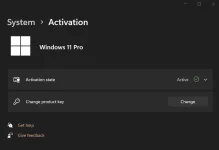
Manual Activation using Command Prompt
LICENSE KEY
Home: TX9XD-98N7V-6WMQ6-BX7FG-H8Q99
Home Single Language: 7HNRX-D7KGG-3K4RQ-4WPJ4-YTDFH
Pro: W269N-WFGWX-YVC9B-4J6C9-T83GX
Education: NW6C2-QMPVW-D7KKK-3GKT6-VCFB2
Enterprise: NPPR9-FWDCX-D2C8J-H872K-2YT43
Step 1: Run Command Prompt app as administrator.
Click on the start button, search for “cmd” then run it with admin rights.
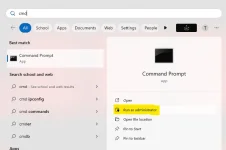
Step 2: Install License key (Hanapin nyo sa taas kung anong Version ng OS niyo).
Use the command below to install a license key.
Code:
slmgr /ipk License key (Pili kayo sa taas)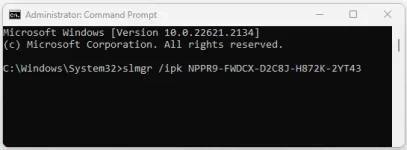
Step 3: Set KMS server. Use the command below to connect to my KMS server.
Code:
slmgr /skms kms8.msguides.com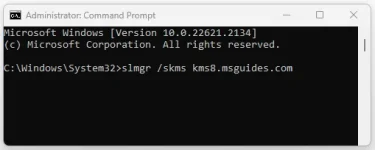
Step 4: Activate your Windows. The last step is to activate your Windows using the command below.
Code:
slmgr /ato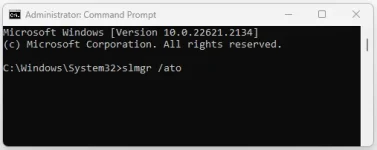
Step 5: Wait to activated the product

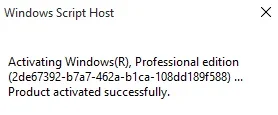
SEND SCREENSHOT IF WORKING SAINYO!
If you see the error 0x80070005, it means the server is busy. Please try the command “ato” again until you succeed.
ctto: msguides


