PH
PHVicesector
Forum Guru
1. Download this app. Make sure na wala munang nakakonek na ibang gadget except your cellphone para walang interruptions.
You do not have permission to view the full content of this post. Log in or register now.
2. Install the app and open. Click the SERVER then may makikita kang speedtest logo sa TOP RIGHT CORNER ng app.. Pwede ka din mag add ng sariling mong DNS.
3. Click AVERAGE then start.. Wait for it to finish then magsosort yan ng pinaka mababang ping sa list after test..
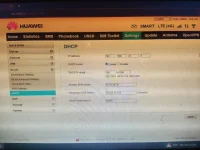
4. Click poh yung button sa left side ng name ng DNS at kunin ang IPv4. Paste it in your modem and your good to go.
Tutorial #2 para lalo maramdaman nyo pagbabago sa wifi usage

Tutorial - Boost your WIFI modem in a simple app Part 2
You do not have permission to view the full content of this post. Log in or register now.
2. Install the app and open. Click the SERVER then may makikita kang speedtest logo sa TOP RIGHT CORNER ng app.. Pwede ka din mag add ng sariling mong DNS.
3. Click AVERAGE then start.. Wait for it to finish then magsosort yan ng pinaka mababang ping sa list after test..
4. Click poh yung
button sa left side ng name ng DNS at kunin ang IPv4. Paste it in your modem and your good to go.Tutorial #2 para lalo maramdaman nyo pagbabago sa wifi usage
Tutorial - Boost your WIFI modem in a simple app Part 2