PH
PHarsenal1205
Rarely opens PHC

VOVSOFT OCR READER
WITH LICENSE KEY INCLUDED!
See the app description below.
What is OCR
Optical Character Recognition (OCR) is the electronic conversion of images of typed, handwritten or printed text into machine-encoded text, whether from a scanned document or a photo of a document.
Extract text from images software
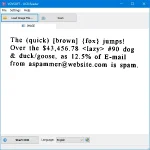
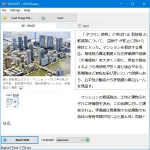
Vovsoft OCR Reader is an image to text converter program that allows you to extract text from PDF, PNG, JPEG, TIFF, WEBP, and BMP files using Optical Character Recognition. This software is basically a text reader from image. It supports batch processing for PDF files with multiple pages.
While there are many OCR tools available online, some prefer a dedicated desktop tool instead. The best part of the program is that the conversion is done completely offline. You are the only controller of your private data. No image file is sent to internet in any case.
Digitize scanned documents
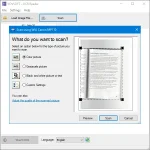
This small and lightweight OCR tool can easily digitize image files and scanned documents on your laptop or desktop computer. It can scan documents using TWAIN and WIA scanner protocols. This application utilizes Tesseract OCR engine, which supports more than 100 languages. In order to increase accuracy, it uses a neural network (LSTM) based OCR engine which provides line recognition, but also can recognize character patterns.
Recognize a specific area
You can create a selection box to recognize a specific area in your document. To do this, all you have to do is click on the image and drag the mouse to create a rectangle. Thus, the program will crop the region you selected. This will provide a more accurate conversion and speed up the process.
Supported OCR languages
Trained Models Include: Arabic, Bengali, Bulgarian, Chinese (Simplified), Chinese (Traditional), Czech, Danish, English, Faroese, French, German, Greek, Hebrew, Hindi, Hungarian, Italian, Japanese, Korean, Lao, Latvian, Persian, Polish, Portuguese, Punjabi, Romanian, Russian, Slovak, Slovenian, Spanish, Swedish, Thai, Turkish, Ukrainian, Urdu, Vietnamese
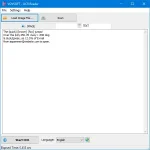
This program is available both as installer and portable OCR, that can be carried around and used on the go whenever needed. It features a simple interface with a minimal number of options. In other words, the GUI is meant to be uncomplicated to make usage as easy as possible. You can save the identified text as UTF-8 encoded unicode plain-text (TXT), Microsoft Word Document (DOC/DOCX), or PDF file.
The software requires You do not have permission to view the full content of this post. Log in or register now.
Key Features
PNG to Text
JPEG to Text
JPG to Text
TIFF to Text
WebP to Text
BMP to Text
Category: Graphic Apps

Supports:

Language: English
Note: This app requires You do not have permission to view the full content of this post. Log in or register now.
DIRECT DOWNLOAD TO VOVSOFT SITE!
Download
LICENSE KEY:
S641B-XSQ4B-HU6BV
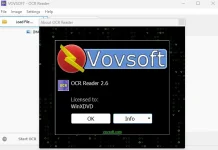
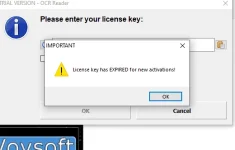
testing for proof: this is in my own laptop installed with this app. Licensed and fully functional.