 PH
PH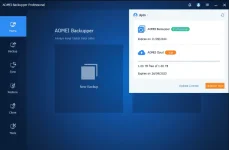
- Product name: AOMEI Backupper Pro 7.3.1
- Website: You do not have permission to view the full content of this post. Log in or register now.
- License type: 1-year
- Platform: Windows
- File Backup: AOMEI Backupper Professional provides the ability to backup important files and folders to different storage devices for the purpose of protecting data and ensuring that a copy is always available for disaster recovery. The feature supports both manual and automatic backup options, allowing users to choose the method that best suits their needs. With manual backup, users can manually select the files and folders they wish to backup, while automatic backup allows for the scheduled backup of specific files and folders, ensuring that data is constantly protected and updated.
- Disk Backup: It allows users to safeguard their data and system by backing up an entire disk. This feature provides a comprehensive solution for protecting all the files, programs, and system settings on a disk. Additionally, the feature supports the simultaneous backup of multiple disks, making it possible for users to protect multiple storage devices at once. This helps to ensure that all important data and systems are consistently protected and available for disaster recovery.
- System Backup: This feature enables users to backup their entire operating system, including the boot-related partitions or files required to boot Windows, as well as any installed programs and files stored on the system drive. This feature provides a complete solution for protecting the entire system and allows users to restore it to its original state in the event of a disaster. Additionally, with this feature, users can upgrade to Windows 11 risk-free, knowing that they have a full backup of their original system available for restoration if needed. The “System Backup” feature ensures that all the important components of a user’s system are protected, giving them peace of mind in the face of potential data loss.
- Partition Backup: This feature in AOMEI Backupper Professional provides the ability to backup one or more partitions, including dynamic disk volumes, to ensure the safety of data stored on the partitions. This feature allows users to selectively backup specific partitions, rather than the entire disk, saving time and storage space. With the “Partition Backup” feature, users can rest assured that their important data is protected, even if one or more partitions are lost or damaged. Whether it’s important documents, family photos, or business-critical data, the “Partition Backup” feature helps ensure that valuable information is always secure and available for disaster recovery.
- Sync for Files & Folders: AOMEI Backupper Professional provides the ability to synchronize files and folders between two different locations. This feature helps ensure that the latest version of a file or folder is always available in multiple locations. It can be used to sync files between different computers, or to keep a backup of important files and folders on an external drive or network location.
It supports several synchronization modes, including full synchronization, incremental synchronization, and real-time synchronization. With full synchronization, all files and folders in the source location are copied to the target location, while with incremental synchronization, only new or changed files are updated in the target location. Real-time synchronization automatically updates the target location whenever changes are made to the source location, ensuring that the latest version of a file or folder is always available. - Clone on OS & Disk: you can clone an operating system or a disk to a new location. This feature allows users to transfer an operating system and all its data, including installed programs and personal files, to a new hard drive or solid-state drive, without having to reinstall the operating system and applications from scratch. It supports the cloning of both MBR and GPT disks, as well as dynamic disks, making it a comprehensive cloning solution for Windows users.
Download
- License code #1: AMAB-6L3PR-JYUII-C8T4A
- License code #2: AMAB-47YYT-1U9Y6-6FAXU