 PH
PHmmutia121928
Elite
Folder Lock v7.9.0 K3ygen

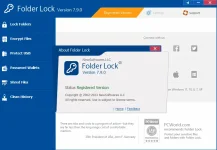
Folder Lock 7 is a full suite solution for all your data security needs. It lets you keep your personal files protected in a variety of ways, in both PC and portable drives and offers optional backup of protected files to an online storage. Folder Lock comes with a perfect combination of seven (7) security tools, letting you encrypt your important files using 256-bit on-the-fly encryption; back them up in real-time to an online storage, and store them to any portable device. The program also lets you lock files, folders and drives; save your personal information in Wallets; shred files and clean your Windows History.
Key Features of Folder Lock
Encrypt Files. Encrypt your personal files using 256-bit on-the-fly encryption technology totally dynamic and fool-proof.
Backup Online. Backup all your encrypted files automatically to an online storage and easily restore it back.
Protect USB / CD. Convert your encrypted storages into executables and take your portable drives anywhere.
Lock Files. Protect important files from unwanted access by blocking visibility or accessto files, folders and drives.
Make Wallets. Store sensitive information in encrypted form. A safe haven for private info like Credit Cards and Bank Accounts.
Shred Files. Shred and permanently delete restorable files, folders and drives and even empty hard drive space.
s†éálth Mode. Run Application in complete s†éálth. Don’t let anyone know you ever installed Folder Lock on your PC.
häçk Security. Don’t let häçkers use dictionary attacks. Monitor, control and perform actions on incorrect password attempts.
Password Security. Restrict access to various parts of the application with use of admin level master password.
Auto Protection. Set inactivity based security policy in order to secure everything when you’re away from your PC.
Folder Lock works under all flavors of 32-bit and 64-bit versions of Windows XP, Vista, Windows 7, Windows 8/8.1 and Windows 10.
Instructions
1. Disable internet and install the program (use given setup)
2. Run the program and use given k3ygen for activation
3. Block application with firewall (recommended)
4. That's it, Enjoy!
Download
Folder Lock 7 is a full suite solution for all your data security needs. It lets you keep your personal files protected in a variety of ways, in both PC and portable drives and offers optional backup of protected files to an online storage. Folder Lock comes with a perfect combination of seven (7) security tools, letting you encrypt your important files using 256-bit on-the-fly encryption; back them up in real-time to an online storage, and store them to any portable device. The program also lets you lock files, folders and drives; save your personal information in Wallets; shred files and clean your Windows History.
Key Features of Folder Lock
Encrypt Files. Encrypt your personal files using 256-bit on-the-fly encryption technology totally dynamic and fool-proof.
Backup Online. Backup all your encrypted files automatically to an online storage and easily restore it back.
Protect USB / CD. Convert your encrypted storages into executables and take your portable drives anywhere.
Lock Files. Protect important files from unwanted access by blocking visibility or accessto files, folders and drives.
Make Wallets. Store sensitive information in encrypted form. A safe haven for private info like Credit Cards and Bank Accounts.
Shred Files. Shred and permanently delete restorable files, folders and drives and even empty hard drive space.
s†éálth Mode. Run Application in complete s†éálth. Don’t let anyone know you ever installed Folder Lock on your PC.
häçk Security. Don’t let häçkers use dictionary attacks. Monitor, control and perform actions on incorrect password attempts.
Password Security. Restrict access to various parts of the application with use of admin level master password.
Auto Protection. Set inactivity based security policy in order to secure everything when you’re away from your PC.
Folder Lock works under all flavors of 32-bit and 64-bit versions of Windows XP, Vista, Windows 7, Windows 8/8.1 and Windows 10.
Instructions
1. Disable internet and install the program (use given setup)
2. Run the program and use given k3ygen for activation
3. Block application with firewall (recommended)
4. That's it, Enjoy!
Download