 PH
PH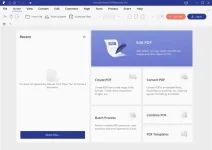
Wondershare PDFelement Pro 9 is a powerful software solution incorporating various tools designed to work with PDF documents. With their help, you can create new PDF files from scratch or by converting other documents, editing existing ones, simply viewing, and much more.
Description
Wondershare PDFelement Pro 9 has a well-organized “ribbon” interface in which all tools are divided into functional groups. And through the sidebar on the window’s left side, you can access the list of pages, bookmarks, annotations, and the document search function.Wondershare PDFelement Pro 9 can open PDF documents in a few clicks and view and edit them. It has an optical text recognition system, which makes it possible to work with the document’s text, even if it was not originally intended.
By recognizing the text and turning it into editable, the program allows you to change the font, size, and style without violating the overall formatting. Moreover, it automatically fits the text to the page of the document when editing it.
This program makes creating a new PDF document easy and convenient. You can create a copy from scratch, fill it with the necessary content, or convert Word, Excel, PowerPoint, and other documents (more than 300 supported formats) to PDF. Wondershare PDFelement also can batch-convert documents of different formats into separate PDF files. The program also allows you to merge any number of PDF files into one large one or vice versa – split one large document into several smaller ones.
As for working with the document’s content, the program allows you to change, remove and add text, images, hyperlinks, tables, etc. Wondershare PDFelement Pre-Activated also will enable you to manage individual document pages. It has the functions of exporting, deleting, cropping, rotating, replacing pages, watermarking, adding a background, etc.
Other features of Wondershare PDFelement Pro
Creating and filling out interactive forms, checkboxes, and buttons, adding annotations, highlighting important document parts, inserting stamps, managing access rights, signing, protecting a document with a password, and censoring document content.Combining a simple and user-friendly interface with many tools makes this program a robust and reliable solution for professional work with PDF documents.
SYSTEM REQUIREMENTS
Operating System: Windows 7, 8, 8.1, 10, 11Processor: Intel® Pentium® 4, higher or equivalent
RAM: 512 MB (1 GB recommended)
DATA SHEET
Software: Wondershare PDFelement Pro 9Developer: You do not have permission to view the full content of this post. Log in or register now.
Language: Multilingual
Medicine: MADARA_&_alf9872000
Download
OCR plugin x64 - Download