 PH
PHOneCommander Pro v3.50
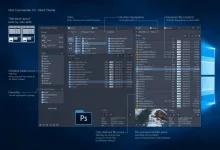
OneCommander is a modern file manager for Windows 10 and Windows 11. Features include tabs, dual-pane browsers, columns navigation, built-in preview, a theming system, color tags, and much more. It is free for home use and has no ads.
More information
Free for home use and no ads.
Commercial use is allowed with the Pro license. (What is commercial use?)
Privacy tldr: OneCommander is not collecting or transmitting users' data.
Detailed Privacy Policy.
64-bit software (x64 platform)
GPU Hardware DirectX accelerated where possible
Security: DEP (permanent); ASLR (high entropy); Memory-safe language C#/.NET
Instructions
1. Install the program from the given setup.
2. Don't run the application yet and close from system tray or task manager if running.
3. Extract "keyg3n fix" to any directory.
4. Use the keyg3n to generate the key.
5. Paste the provided key into program.
6. Boom! Now you can use the program without any interruptions.
7. That's it, Enjoy now
LINKS
You do not have permission to view the full content of this post. Log in or register now.
OneCommander is a modern file manager for Windows 10 and Windows 11. Features include tabs, dual-pane browsers, columns navigation, built-in preview, a theming system, color tags, and much more. It is free for home use and has no ads.
More information
Free for home use and no ads.
Commercial use is allowed with the Pro license. (What is commercial use?)
Privacy tldr: OneCommander is not collecting or transmitting users' data.
Detailed Privacy Policy.
64-bit software (x64 platform)
GPU Hardware DirectX accelerated where possible
Security: DEP (permanent); ASLR (high entropy); Memory-safe language C#/.NET
Instructions
1. Install the program from the given setup.
2. Don't run the application yet and close from system tray or task manager if running.
3. Extract "keyg3n fix" to any directory.
4. Use the keyg3n to generate the key.
5. Paste the provided key into program.
6. Boom! Now you can use the program without any interruptions.
7. That's it, Enjoy now
LINKS
You do not have permission to view the full content of this post. Log in or register now.