PH
PHairwavemac
тωєηту-мσяє

Adobe Photoshop 2023 v24.7.0.643 (Pre-Activated)
Firefly AI v24.7.0.2245 Beta for Adobe Photoshop 24.7
Firefly AI v25.0.0.2257 Beta for Adobe Photoshop 24.7

Instructions to enable Generative fill:
➤You have to install Adobe Creative Cloud Desktop
then create your Adobe Account then dapat naka log in kayo.
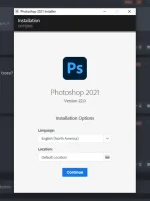
➤then Install Photoshop 24.7 then close the app..
➤then Install Firefly AI
➤Thats it.. Done!
Video Tut
➤ Sa mga nagkaproblema dahil sa bagong update ni Photoshop

Ganito lang po gawin nyo
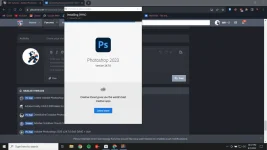
➤Uninstall your Photoshop v24.7 app (use uninstaller app like Iobit Uninstaller)➤Create new adobe account
➤then re-Install your Photoshop v24.7 app
➤then install Firefly v25
➤thats it.
VIDEO TUT
Note: Maayos po Photoshop ko nung ginawa ko ang Video TuT na ito so no need ko na gumawa ng new account. pero try nyo na rin to.. rekta na.
Minimum Requirements:
– Processor: Intel® Core 2 or AMD Athlon® 64 processor; 2 GHz or faster processor
– Operating system: Microsoft Windows 10 (64 bit) versions 1703 (Creators Update) and later
– RAM 2 GB or more of RAM (8 GB recommended)
– Hard disk space: 3.1 GB or more of available hard-disk space for 64-bit installation; additional free space required during installation (cannot install on a volume that uses a case-sensitive file system)
– Monitor resolution: 1024 x 768 display (1280×800 recommended) with 16-bit color and 512 MB or more of dedicated VRAM; 2 GB is recommended**
– Graphics processor acceleration requirements OpenGL 2.0-capable system