PH
PHLINK:
You do not have permission to view the full content of this post. Log in or register now.

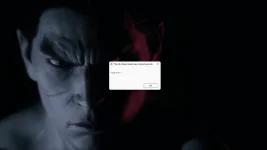
pag may nakita kayong ganto normal lang yan click "ok" lang



Tutorial:
2) Extract the game to your preferred location with You do not have permission to view the full content of this post. Log in or register now. or You do not have permission to view the full content of this post. Log in or register now.
3) Wait for the extraction to end
4) Start the game through Polaris.exe or Polaris\Binaries\Win64\Polaris-Win64-Shipping.exe
5) Play!
Notes :
– It is recommended to turn off your antivirus as some files get detected as false positive.
– In the case of an offline game, you may need to block it with firewall to prevent it from going online.
– Do not block the game with firewall if you are playing an online game with your friends.
– Turn Off your AntiVirus and Block the game’s exe in your firewall to prevent the game from
trying to go online ..
– If you install games to your system drive, it may be necessary
to run this game with admin privileges instead
– If you have a vac ban then you won’t able to play online games, create a new account if the account you gonna use have one of those.
You do not have permission to view the full content of this post. Log in or register now.
pag may nakita kayong ganto normal lang yan click "ok" lang
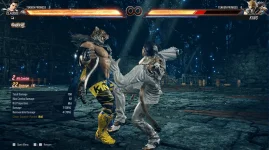
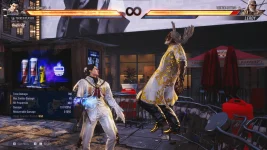
Gameplay Screenshot (Tested kona)



Tutorial:
How To Install The Game
1) Download the game using a You do not have permission to view the full content of this post. Log in or register now. program or You do not have permission to view the full content of this post. Log in or register now. program2) Extract the game to your preferred location with You do not have permission to view the full content of this post. Log in or register now. or You do not have permission to view the full content of this post. Log in or register now.
3) Wait for the extraction to end
4) Start the game through Polaris.exe or Polaris\Binaries\Win64\Polaris-Win64-Shipping.exe
5) Play!
Notes :
- Only Offline Practice/Battle Tutorial Available
- The grayed out functions of practice mode can be accessed to change how the AI works
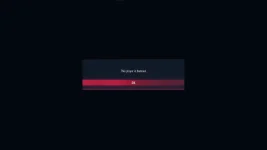
- The banned player message error on boot is normal
- If the grayed out functions do not work, make sure you are running it from the correct exe
- Set Opponent Actions to err(TEXT_000_UI_PRACTICE_056) @@@@ if you wish for the CPU to be controlled by a 2nd Player
- Online Matchmaking/Versus Mode is NOT AVAILABLE
- This is only for those who wish to test the game, no versus mode so please read everything.
General Notes:
– Make sure you have Spacewar installed. Windows Key + R and type (steam://install/480).– It is recommended to turn off your antivirus as some files get detected as false positive.
– In the case of an offline game, you may need to block it with firewall to prevent it from going online.
– Do not block the game with firewall if you are playing an online game with your friends.
– Turn Off your AntiVirus and Block the game’s exe in your firewall to prevent the game from
trying to go online ..
– If you install games to your system drive, it may be necessary
to run this game with admin privileges instead
– If you have a vac ban then you won’t able to play online games, create a new account if the account you gonna use have one of those.