 PH
PHPHC - BABYMAXFORD
Eternal Poster
This tutorial is about sa mga full storage users dahil sa "Others" na yan. Haha 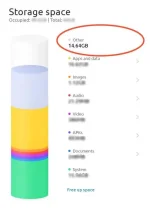 in this thread. I will help you how to delete or remove or trim the 'Others' tab.
WARNING: Ang "Others" tab ay naglalaman din ng mga importanteng files such as: Resources ng games such as ML, CODM. Mga files yan ng mga apps na dinownload mo like downloaded videos mo sa netflix, YouTube. Ito po ay kadalasan importante sa mga apps at pwedeng di mag function ang apps kung sakaling ma delete mo ang resources nila. Wag niyo ako sisihin if may nasira ha. Hahaha
Steps Tutorial:
1. I-download ang "Drives" app sa Play Store at install ito.
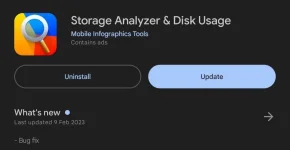
2. Open mo, then select File Categories.
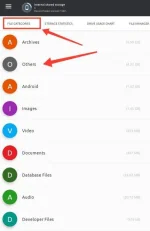
3. Tap mo yung "Others" makikita mo mga files na laman at ikaw na bahala kung anu ano mga idi delete mo. Makikita mo rin kung anong apps yung gumagamit ng files na yan.
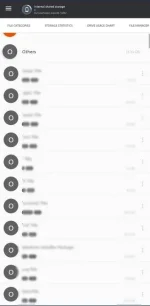
Yan guys good luck sana wala kayong masira sa smartphone niyo. Wahaha

Feedback if naka help.
in this thread. I will help you how to delete or remove or trim the 'Others' tab.WARNING: Ang "Others" tab ay naglalaman din ng mga importanteng files such as: Resources ng games such as ML, CODM. Mga files yan ng mga apps na dinownload mo like downloaded videos mo sa netflix, YouTube. Ito po ay kadalasan importante sa mga apps at pwedeng di mag function ang apps kung sakaling ma delete mo ang resources nila. Wag niyo ako sisihin if may nasira ha. Hahaha
Steps Tutorial:
1. I-download ang "Drives" app sa Play Store at install ito.
2. Open mo, then select File Categories.
3. Tap mo yung "Others" makikita mo mga files na laman at ikaw na bahala kung anu ano mga idi delete mo. Makikita mo rin kung anong apps yung gumagamit ng files na yan.
Yan guys good luck sana wala kayong masira sa smartphone niyo. Wahaha
Feedback if naka help.
