 PH
PHAfter a little over a year of development, elementary is proud to announce the stable release of elementary OS Loki!
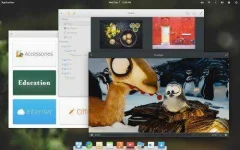
Loki is the newest version of elementary OS, a design-oriented and open source Linux-based operating system for desktops and laptops. It succeeds Freya which was released in April of 2015.
New Indicators
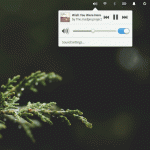
The system indicators have been revamped for Loki. You’ll see redesigned indicators across the board, plus icons and text change to be dark or light depending on your wallpaper.
Notifications
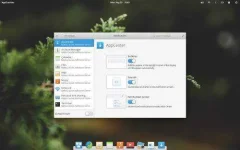
Our Notifications settings now automatically show all apps that support notifications as soon as they’re installed and automatically clears them when removed. Plus, configure whether or not each app shows in the Notification Center.
Network
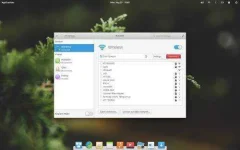
Network settings have been completely redesigned to be more straightforward and informative while retaining functionality. Wired and wireless connections, Hotspots, Proxies, and VPNs are all available out of the box.
Online Accounts
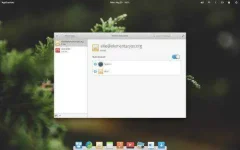
The preliminary version of Online Accounts is finally landing in Loki. At the moment, Fastmail and IMAP email accounts are available with more services under development.
Sharing
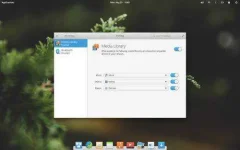
The brand new Sharing settings bring Bluetooth and DLNA sharing into one easy spot. Configuring your computer to share music, videos, and photos to your smart TV is as simple as flicking a switch.
Parental Controls
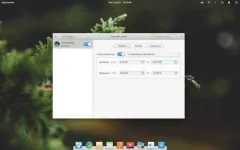
The new Parental Controls settings introduce several restrictions that administrator accounts can place on standard users. Time Limits make sure kids can only use the computer at certain times, Website Blacklisting blocks web addresses for any browser, and Application Blacklisting ensures kids aren’t able to use unapproved apps.
More Info: You do not have permission to view the full content of this post. Log in or register now.
Loki is the newest version of elementary OS, a design-oriented and open source Linux-based operating system for desktops and laptops. It succeeds Freya which was released in April of 2015.
New Indicators
The system indicators have been revamped for Loki. You’ll see redesigned indicators across the board, plus icons and text change to be dark or light depending on your wallpaper.
Notifications
Our Notifications settings now automatically show all apps that support notifications as soon as they’re installed and automatically clears them when removed. Plus, configure whether or not each app shows in the Notification Center.
Network
Network settings have been completely redesigned to be more straightforward and informative while retaining functionality. Wired and wireless connections, Hotspots, Proxies, and VPNs are all available out of the box.
Online Accounts
The preliminary version of Online Accounts is finally landing in Loki. At the moment, Fastmail and IMAP email accounts are available with more services under development.
Sharing
The brand new Sharing settings bring Bluetooth and DLNA sharing into one easy spot. Configuring your computer to share music, videos, and photos to your smart TV is as simple as flicking a switch.
Parental Controls
The new Parental Controls settings introduce several restrictions that administrator accounts can place on standard users. Time Limits make sure kids can only use the computer at certain times, Website Blacklisting blocks web addresses for any browser, and Application Blacklisting ensures kids aren’t able to use unapproved apps.
More Info: You do not have permission to view the full content of this post. Log in or register now.
 ayos nito.
 . OK din gamitin kahit sa emulator like virtualbox.