PH
PHiamramzkie
Forum Expert
Adobe Photoshop Version: 24.6.0.2181 (Beta)
is a complete solution for professional digital imaging that includes cutting-edge imaging tools and new creative capabilities to dramatically increase productivity.
Edit images with exceptional precision,use new intuitive tools and workflows to create 3D graphics, 2D projects, and movies.
Generative Fill
Get delighted in seconds with Generative Fill — a magical new tool that enables you to add, extend, or remove content from your images with simple text prompts.
Adjustment Presets
Add drama to your images with Adjustment Presets
Preview and change the appearance of your images with Adjustment Presets. Continue to refine your adjustments in the Layers panel.
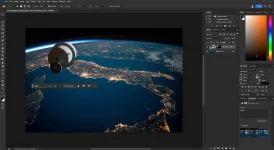
Remove Tool
Remove distractions with Remove Tool
Retouch and remove unwanted areas in your image using the Remove Tool in Photoshop.
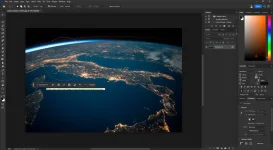
Contextual Task Bar
Find relevant next steps with the Contextual Task Bar
Find the right tool at the right time on your canvas with the Contextual Task Bar.
Improved Gradients
Quickly adjust Gradients in your images with the new on-canvas controls and a live preview that gets created automatically.
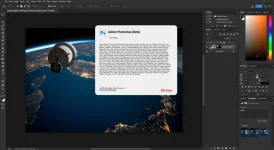
Year/Date of Issue: 2023is a complete solution for professional digital imaging that includes cutting-edge imaging tools and new creative capabilities to dramatically increase productivity.
Edit images with exceptional precision,use new intuitive tools and workflows to create 3D graphics, 2D projects, and movies.
Generative Fill
Get delighted in seconds with Generative Fill — a magical new tool that enables you to add, extend, or remove content from your images with simple text prompts.
Adjustment Presets
Add drama to your images with Adjustment Presets
Preview and change the appearance of your images with Adjustment Presets. Continue to refine your adjustments in the Layers panel.
Remove Tool
Remove distractions with Remove Tool
Retouch and remove unwanted areas in your image using the Remove Tool in Photoshop.
Contextual Task Bar
Find relevant next steps with the Contextual Task Bar
Find the right tool at the right time on your canvas with the Contextual Task Bar.
Improved Gradients
Quickly adjust Gradients in your images with the new on-canvas controls and a live preview that gets created automatically.
Version: 24.6.0.2181 (Beta)
Developer: Adobe Systems
Developer website: You do not have permission to view the full content of this post. Log in or register now.
Bit depth: 64bit
Interface language: En/Ru
Medicine: Cured
Assembly type: Repack
Photoshop system requirements
• Windows 10 - 11 x64
• Microsoft Visual C++ 2005-2019
INSTALLATION: Just run program it's already treated.
NOTE: In order to use Generative Fill, you must sign in to your Adobe account, once you sign in, do not update program to new beta, unless you have medicine (you can find it in Adobe Photoshop 2023 24.5.0.500 (x64) Team OS, I tried it, updated it, treated it, and it works).
It show: " 1 security vendor flagged this URL as malicious", i scanned it with several antivirus programs and its clean.
You do not have permission to view the full content of this post. Log in or register now.
Credits to its rightful owners.
 meron po kayo for window 7 ?
 yun lang