PH
PH
Additional Information
Genres
Video Players & Editors
Google Play ID
fnzstudios.com.videocrop
Rating
Version
3.4.9
Developer
ZipoApps
Requires
4.2
Size
26.85 MB
MOD Features
Pro Features Unlocked
Updated
2023/02/05
Download
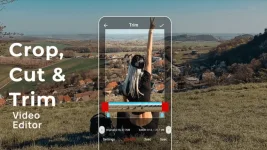
Looking for tools that can assist you in editing and enhancing your videos at the same time, and without compromises or any unnecessary features? Then Crop, Cut & Trim Video Editor is certainly a great mobile app for the job, as it provides dozens of amazing features that you can easily make use of to crop, cut, trim, and edit your videos however you want.
Using the convenient video editor app to work on any existing videos on your mobile devices, which will allow you to freely customize and optimize them without having to go through the hassles. All the simple and accessible tools make it super easy for you to work on your creative and interesting video setups.
Learn more about this awesome mobile application from ZipoApps and all of its amazing features with our comprehensive reviews.
What does it do?
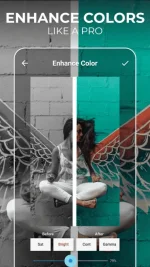
With Crop, Cut & Trim Video Editor enabled, Android users can start editing and enhancing any of their videos like a pro, using many simple and user-friendly tools. Simply select any existing videos on your local storage and choose the certain features in the app that you want to work with, from cropping images, trimming video, removing unwanted portions, to blurring footages and enhancing your videos with many cool effects.All the common and convenient editing features will be featured at the home menu for you to immediately make use of. And Crop, Cut & Trim Video Editor will actively scan your local storage for editable videos so you can easily load them up to the editing interface. Make uses of the powerful enhancement features to unlock better colors and images on your videos. Enable the various processing time settings to optimize your video editing experiences. The list goes on.
Requirements
For those of you who are interested, you can now pick up the free version of the app on the Google Play Store, which should be available for all Android users to make use of. Here, the app provides many free features for you to start editing your videos on the go. Just keep in mind that the freemium app will have ads that might bother you. And you’ll still need to pay for premium purchases if you wish to unlock its complete features.Most of the in-app features will require certain access permissions from your Android devices, so make sure to always accept the prompting requests upon entering the app for the first time, as it would allow the app to function properly.
And at the same time, Crop, Cut & Trim Video Editor will need your devices to be running on the latest firmware versions, preferably Android 4.2 and up, which will greatly improve the in-app stability and its overall compatibility with your system.
Awesome features
Here are all the exciting features that the app has to offer:Simple and easy to use
To start with, thanks to the intuitive and clean app UI, Crop, Cut & Trim Video Editor will make it super easy for new users to enjoy working with the app and its features. Feel free to access the in-app menus and start making use of its features without having any troubles. Use the app to access all existing videos on your mobile devices, select the certain videos that you wish to edit, choose the editing modes that you want to work with, and you can then trim, blur, crop, and enhance videos however you want. The intuitive editing interfaces will make it extremely convenient for all Android users to work with.Make use of the app to crop videos
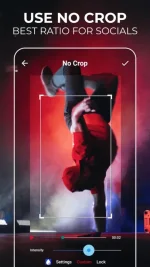
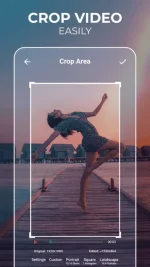
To start copping videos, you can enter the Crop menu in Crop, Cut & Trim Video Editor and select whichever videos that you want to edit. Here, the app provides you with many convenient and easy cropping options, which doesn’t require any previous editing experiences. Choose to cut out certain areas of the footage to avoid showing them.Trim and cut videos with ease
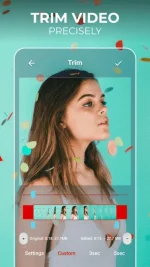
With the built-in trim and cut features, Crop, Cut & Trim Video Editor users can easily work on any existing videos on their mobile devices. Make use of the timeline editor to precisely select certain parts of the videos that you wish to edit then complete the process. Here, you’re allowed to set any video intervals that you want to trim. The simple and fully-featured mobile app will let you work on any of your videos.Blur videos for cool visual effects
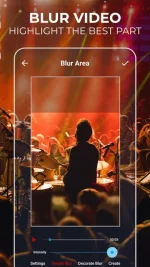
To blur out certain parts of or elements on the videos that you don’t wish to see, Crop, Cut & Trim Video Editor users can simply work with the convenient blurring tool from the app. Here, all you need is to select the time intervals that you wish to blur the videos. Or select individual footages that you want to blur our while leaving the entire videos intact. Feel free to create many unique content using the blurring options.