 PH
PH
App Overview
Crop, Trim Video Editor is a utility for cutting, cropping, and blurring video content. It allows for the removal of unwanted video segments, aspect ratio adjustments, and background blur application without losing quality or adding watermarks.Technical Specifications
| Information | Specification |
|---|---|
| Minimum OS Requirement | Android 8.0 and up |
| Current Version | v1.2.4 |
| Modification Status | Premium Unlocked |
| Modifications Applied | Premium features unlocked, All Debug Codes Removed |
| Modder Credit | TRUMods |
Core Functionality
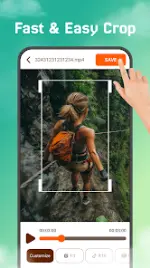
- Video Cropping: Resizes video frames to fit custom or standard aspect ratios.
- Trimming & Cutting: Removes specific segments from the beginning, middle, or end of a timeline.
- Background Blur: Applies a blur effect to the background area to meet specific canvas dimensions without altering the primary footage.
- Media Enhancement: Supports adding music, text, and stickers to edited video timelines.
- Export Options: High-definition rendering with zero watermark enforcement.
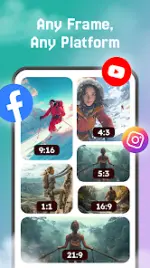
Supported Aspect Ratios & Platforms
The application provides presets and optimization tools tailored for the following formats:- Instagram Reels & Stories
- TikTok Videos
- YouTube Shorts
- Standard social media posts
Operational Workflow
- Import: Select a source video file from the device gallery.
- Edit: Apply the cropping, trimming, or background blur tools.
- Adjust: Modify the video timeline or canvas aspect ratio parameters.
- Export: Render and save the high-definition output directly to local storage or share to external platforms.

.webp "(ditto) :(ditto):")
