 PH
PHKingSemreh
Eternal Poster
Easiest Way to Debloat Android Phone (2023) | [Unrooted Devices]
Download the followings:
1. You do not have permission to view the full content of this post. Log in or register now.
2. You do not have permission to view the full content of this post. Log in or register now.
3. Search for Safe to Remove Bloatware before debloating your device.
Procedure:
1. Extract files
2. Copy the UAD.exe file to the Platform-tools folder
3. Enable: > Developer options and USB debugging
4. Check if your phone is detected by doing as shown:
5. Type "cmd" and Enter as shown
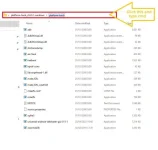
and this with pop up and type: adb devices
then you will see your devices if detected
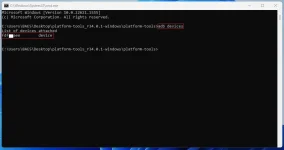
if detected; find the UAD.exe and run as administrator.
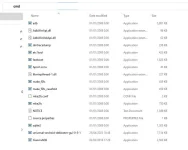
You will see as shown below and you can start to uninstall and disable.
-----------------------------------------------------
Working with my Xiaomi 13 (Non Pro Version)
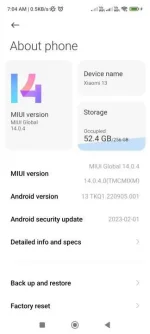
-----------------------------------------------------
6. Run as admin UAD

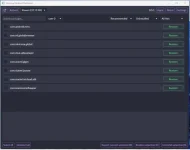 Try at your own risk. Think and do it freely without blaming others for the wrong action on your end.
Download the followings:
1. You do not have permission to view the full content of this post. Log in or register now.
2. You do not have permission to view the full content of this post. Log in or register now.
3. Search for Safe to Remove Bloatware before debloating your device.
Procedure:
1. Extract files
2. Copy the UAD.exe file to the Platform-tools folder
3. Enable: > Developer options and USB debugging
4. Check if your phone is detected by doing as shown:
5. Type "cmd" and Enter as shown
and this with pop up and type: adb devices
then you will see your devices if detected
if detected; find the UAD.exe and run as administrator.
You will see as shown below and you can start to uninstall and disable.
-----------------------------------------------------
Working with my Xiaomi 13 (Non Pro Version)
-----------------------------------------------------
6. Run as admin UAD
Try at your own risk. Think and do it freely without blaming others for the wrong action on your end.