❓ Help Guys Pahelp sa formatting

Status
Not open for further replies.
Dell latitude 7480
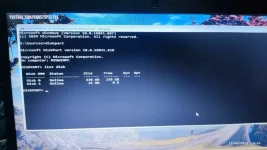
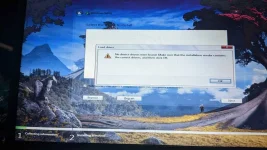
ayun napalitan ko na ng boot priority tapos nong iboot ko na install ko sana si spectre nakalagay cannot intall system to this disk tapos nag tingen ako ng tutorial sa youtube nakita ko yong cmd i clean daw yong disk 0 tapos ayon clean ko para sana mag restart ng installation ito na lumabas
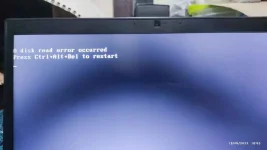
kahit naka boot priority usb ayaw ma flash yong os
IMG_20230418_184306.webp
 
Hello! It seems like you are having some issues with installing the Spectre OS on your Dell Latitude 7480. The error message "Cannot install system to this disk" can be caused by several factors, such as incompatible hardware or corrupted installation media.

Since you have already tried changing the boot priority and cleaning the disk 0 through the command prompt, here are some other steps you can try:

1. Check the compatibility of your hardware with the Spectre OS. Make sure that your laptop meets the minimum system requirements for the OS.

2. Try using a different USB drive or creating a new installation media. It's possible that the USB drive you're using is corrupted or damaged.

3. Check if your USB drive is formatted properly. Make sure that it is formatted as FAT32 or NTFS and that it is set as the first boot device in the BIOS.

4. Disable Secure Boot in the BIOS. Secure Boot is a feature that ensures that only trusted software is loaded during the boot process. However, it can also prevent the installation of some operating systems.

5. Try updating the BIOS firmware of your laptop. Dell provides regular updates to their BIOS firmware that can help resolve compatibility issues.

If none of the above steps work, you may want to consider reaching out to Spectre's support team or Dell's technical support for further assistance. Good luck!
 
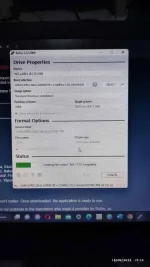
Since sabi mo corrupted yung flashdrive, hanap ka bago, kung wala try mo clean format and gawa ka bagong bootable flashdrive, configure mo to ntfs, rufus ang gamit kong pang gawa ng bootable as fas as i can remember meron don na ntfs. Interms of disk 0 clean and format mo siya command/control f10 ata yon mapupunta ka sa cmd then disk part then yt mo nalang kasunod, list volume gamitin mo para makapag format, pag list disk kasi clean lang magagawa mo.
 
trinay ko ireformat yong flash drive ito gumana sya kaso di naman maread yong os na iboot nya lang

View attachment 2620038 View attachment 2620039

.
Galing kay Ghost spectre gamit mong OS? Hindi kaya ang compact version? kasi sa pag kakaalam ko phase out nayang superlite not sure. Pati MBR partition scheme talaga ang require TS? parang pang older version ng computer yan ah

trinay ko ireformat yong flash drive ito gumana sya kaso di naman maread yong os na iboot nya lang

View attachment 2620038 View attachment 2620039

.
clearly mag problem sa bootble since 0 and free space, hindi naman aabutin ng 31GB ang bootable drive eh
 
salamat lods, okey na ang problema is yung bootable flash drive, buti at may spare pa ako isa, bale pag ka clean ko ininstall kinonvert ko sya sa mbr din recreate ulit ng bootable so far smooth sya compact pinili ko kay spectre .. may nag sabi ng ito daw pinaka okey

salamat lods, okey na ang problema is yung bootable flash drive, buti at may spare pa ako isa, bale pag ka clean ko ininstall kinonvert ko sya sa mbr din recreate ulit ng bootable so far smooth sya compact pinili ko kay spectre .. may nag sabi ng ito daw pinaka okey
nag paanick lang ako since kabibili lang ng laptop kabado maalala HAHAHA
 
Status
Not open for further replies.

About this Thread

  • 15
    Replies
  • 545
    Views
  • 3
    Participants
Last reply from:
AdmiralKape

Trending Topics

Online now

Members online
1,129
Guests online
948
Total visitors
2,077

Forum statistics

Threads
2,273,741
Posts
28,951,230
Members
1,234,939
Latest member
bloody666
Back
Top