 PH
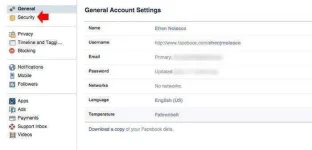
PH1)Login to your Facebook account and go to settings, you can access it directly using this link (You do not have permission to view the full content of this post.
Log in or register now.) then select “Security” menu on the left.
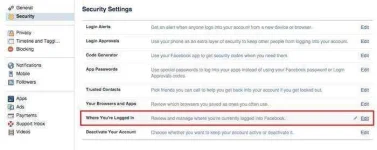
2)Under security settings, select “Where You’ve Logged In”
3) It will reveal all the device used and the location where the session happen. If one of the device in the list are not your device or you don’t remember that you access your account on that device and location, you can easily “End Activity”
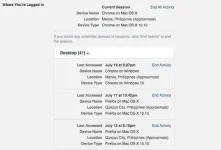
by that you can track also trace the internet cafe,or device so that you can ping it
be safe guys and girls protect your privacy
2)Under security settings, select “Where You’ve Logged In”
3) It will reveal all the device used and the location where the session happen. If one of the device in the list are not your device or you don’t remember that you access your account on that device and location, you can easily “End Activity”
by that you can track also trace the internet cafe,or device so that you can ping it
be safe guys and girls protect your privacy