 PH
PH
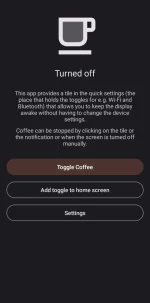
Coffee allows you to keep the display awake without having to change the device settings. It can be toggled at various places:
- A tile in the quick settings, the place that holds the toggles for e.g. Wi-Fi and Bluetooth. Requires Android 7 or higher.
- A button in the app itself
- A shortcut on your home screen. It can be created in the app, if your launcher supports it.
Coffee can be set as assist app (Device settings => Apps => Default apps => Assist app) and changes it's state when assist is called.
Coffee may not work because of an overly aggressive battery saver that is implemented by some OEMs (including Poco, Samsung and Xiaomi).
In that case please enable "Alternate mode" in the settings.
You do not have permission to view the full content of this post. Log in or register now.