 PH
PHuTorrent Classic Pro 3.6.0 Build 46716
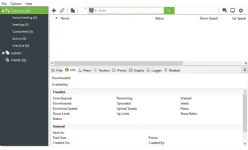
Introduction
uTorrent Classic Pro is a powerful and feature-rich BitTorrent client that allows users to download and share files quickly and easily. It is one of the most popular BitTorrent clients available and is used by millions of people around the world. With uTorrent Classic Pro, users can download large files quickly and efficiently, and can also customize their settings to optimize their download speeds. Additionally, uTorrent Classic Pro offers a wide range of features, such as support for multiple languages, a built-in search engine, and the ability to limit the number of simultaneous downloads. With its powerful features and ease of use, uTorrent Classic Pro is an excellent choice for anyone looking for a reliable and efficient BitTorrent client.Troubleshooting Common Issues with uTorrent Classic Pro
uTorrent Classic Pro is a popular BitTorrent client used to download and share files over the internet. Despite its popularity, users may experience issues when using the program. This article provides troubleshooting tips for some of the most common issues with uTorrent Classic Pro.1. Slow Download Speeds: If you are experiencing slow download speeds, there are several steps you can take to improve performance. First, check your internet connection speed. If it is slower than expected, contact your internet service provider. Additionally, you can limit the number of active torrents and limit the upload and download speeds in the uTorrent preferences.
2. Connection Errors: If you are receiving connection errors, check your firewall settings to make sure uTorrent is allowed to access the internet. Additionally, you can try disabling any anti-virus software you have installed.
3. Corrupted Files: If you are downloading a file and it is corrupted, try downloading it again. If the issue persists, try downloading the file from a different source.
4. Unresponsive Interface: If the uTorrent interface is unresponsive, try restarting the program. If the issue persists, try reinstalling the program.
By following these troubleshooting tips, you should be able to resolve the most common issues with uTorrent Classic Pro. If you are still experiencing issues, contact the uTorrent support team for further assistance.
Exploring the Advanced Features of uTorrent Classic Pro
uTorrent Classic Pro is a powerful and feature-rich torrent client that allows users to download and share files over the internet. It is a popular choice for those who need a reliable and efficient torrent client. This article will explore some of the advanced features of uTorrent Classic Pro that make it a great choice for experienced users.One of the most useful features of uTorrent Classic Pro is its ability to prioritize downloads. This feature allows users to prioritize certain files over others, ensuring that the most important files are downloaded first. This is especially useful for those who need to download large files quickly.
Another great feature of uTorrent Classic Pro is its support for multiple trackers. This allows users to connect to multiple trackers at once, increasing the speed and reliability of downloads. This is especially useful for those who need to download large files quickly.
uTorrent Classic Pro also offers a variety of scheduling options. This allows users to set up downloads to occur at specific times, ensuring that downloads are completed when they are most convenient. This is especially useful for those who need to download large files quickly.
Finally, uTorrent Classic Pro also offers a variety of security features. These features include encryption, password protection, and IP filtering. These features ensure that users’ downloads are secure and private.
These are just a few of the advanced features of uTorrent Classic Pro. With its powerful features and reliable performance, uTorrent Classic Pro is a great choice for experienced users who need a reliable and efficient torrent client.
The Benefits of Using uTorrent Classic Pro for File Sharing
uTorrent Classic Pro is a powerful and reliable file-sharing software that provides users with a secure and efficient way to share files. It is a popular choice for those who need to transfer large files quickly and securely.One of the main benefits of using uTorrent Classic Pro is its speed. It is designed to be fast and efficient, allowing users to quickly and easily transfer large files. It also has a built-in bandwidth limiter, which allows users to control the speed of their downloads. This ensures that users can transfer files without overloading their connection.
Another benefit of uTorrent Classic Pro is its security. It uses a secure protocol to ensure that files are transferred safely and securely. It also has a built-in firewall, which helps to protect users from malicious attacks. Additionally, it has a built-in encryption system, which helps to protect users’ data from being accessed by unauthorized parties.
Finally, uTorrent Classic Pro is easy to use. It has a simple and intuitive user interface, which makes it easy for users to navigate and use the software. Additionally, it has a wide range of features, such as the ability to pause and resume downloads, as well as the ability to schedule downloads. This makes it easy for users to manage their downloads and ensure that they are completed in a timely manner.
Overall, uTorrent Classic Pro is an excellent choice for those who need to transfer large files quickly and securely. It is fast, secure, and easy to use, making it an ideal choice for those who need to share files.
How to Optimize Your Download Speeds with uTorrent Classic Pro
uTorrent Classic Pro is a powerful and reliable torrent client that can help you optimize your download speeds. By following the steps below, you can maximize your download speeds and get the most out of your torrenting experience.1. Adjust Your Bandwidth Settings: uTorrent Classic Pro allows you to adjust your bandwidth settings to optimize your download speeds. To do this, open the uTorrent Classic Pro application and select “Options” from the menu bar. Then, select “Preferences” and click on the “Bandwidth” tab. Here, you can adjust the maximum download and upload speeds to suit your connection.
2. Limit the Number of Connections: Limiting the number of connections can help you optimize your download speeds. To do this, open the uTorrent Classic Pro application and select “Options” from the menu bar. Then, select “Preferences” and click on the “Connection” tab. Here, you can adjust the maximum number of connections to suit your connection.
3. Enable Protocol Encryption: Protocol encryption can help you optimize your download speeds by reducing the amount of data that needs to be transferred. To enable protocol encryption, open the uTorrent Classic Pro application and select “Options” from the menu bar. Then, select “Preferences” and click on the “BitTorrent” tab. Here, you can enable protocol encryption by checking the box next to “Enable Protocol Encryption”.
By following these steps, you can optimize your download speeds with uTorrent Classic Pro. With the right settings, you can get the most out of your torrenting experience.
System Requirements
Supports Microsoft Windows 11, 10, 8, 7, Vista, and XP.On the other hand, the requirements in terms of screen resolution, ram memory, hard disk space, and processor are really minimal, they do not need to be specified.
Data Sheet
Software: uTorrent Pro FreeLanguage: Multilingual
Developer: You do not have permission to view the full content of this post. Log in or register now.
Medicine: Pre_Activated
Download
