 PH
PH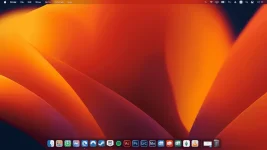
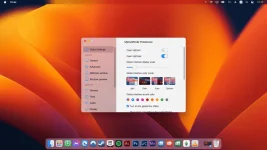
Sawa ka nadin ba sa UI ng Windows at gusto mag-social climb? May solution na diyan lmao
Instructions:
- Dl niyo muna yung file siyempre lol
- Extract niyo yung zip, then ilagay mo sa Desktop (try mo kung gagana sa iba, sakin kasi ayaw gumana sa ibang folder.)
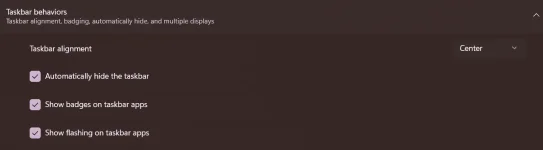
- Punta ka settings ng windows mo, ihide mo taskbar mo
- Locate niyo yung folder, punta ka sa "lang" na folder (important, kasi naka chinese UI niya) delete niyo yung Chinese kung ayaw niyo maging POGO languange niyan lol

- After niyan, run niyo yung Dock_64 then antay ka mga 48 years

- Kung gusto niyo magrun siya in start up and mahide yung taskbar totally, navigate kayo sa settings niya (Right click mo yung empty space ng Dock then "Preferences" then sundan mo yung Pic)
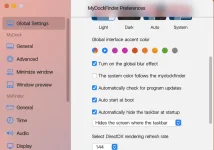
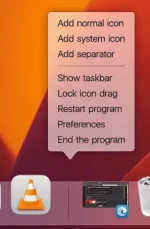
- Then after niyan, goods na... ikaw na bahala mag customize if mag aadd ka Programs... right click mo yung dock then "Add normal icon" then drag mo yung Programs mo para mag-show sa dock.
Spoiler contents are visible only to Established Members.
Spoiler contents are visible only to Established Members.