 PH
PH
- Magisk - must be rooted
- LSPosed
- Pixelify_gphotos.apk
- You do not have permission to view the full content of this post. Log in or register now.
- You do not have permission to view the full content of this post. Log in or register now.
1. Enable zygisk on Magisk
2. Flash LSPosed.zip then reboot
3. Install Lsposed Manager
4. Install Pixelify_gphotos.apk
5. Open Lsposed Manager enable Pixelify then reboot
Google Photos app will be automatically selected in the app list of pixilify, so all you need to do at this point is to reboot your device. You might need to clear the data of Google Photos app after reboot, so do a long press on the app in your launcher, go into App Info and clear the data. Once these steps are done, you now have Google Photos unlimited storage capacity perk on your non Pixel device.
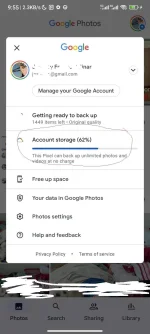
NOTE: choose Pixel XL as Model for Original file Uploads.
