 PH
PHOnly if you have a share it apps.
Instruction for Download in FB :
Instruction to get the video.
note: you cannot copy the video direclty from share it.
Thats all!
Feedback lang po and react .masaya na po ako.
ps. in english baka may dayo
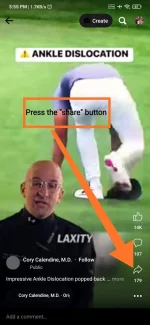
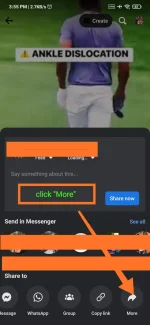
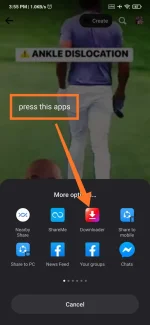
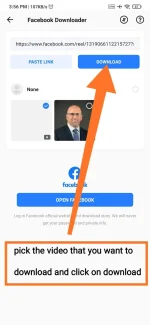
Instruction for Download in FB :
1-Choose a video any from FB either Videos or Reels.
2-Press the "Share Option"
3-Press the Share to "more option"
4-Click the "DOWNLOADER". (this is the share it downloader.
5-wait for the link to process the apps
6-If you are not log in in FB via share it apps, just log in to continue the process.
7-choose the files you want to download
8-wait for the files to be finished.
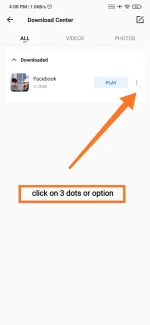
Instruction to get the video.
note: you cannot copy the video direclty from share it.
1-press the 3dots or option
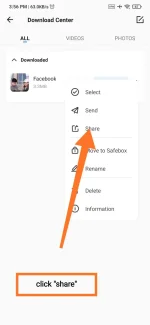
2-press the share.
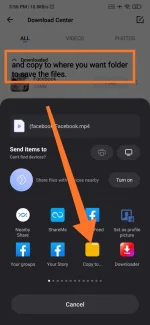
3-press the share more option
4-press the copy to
5-select where you copy or save the video.
Thats all!
Feedback lang po and react .masaya na po ako.
ps. in english baka may dayo

