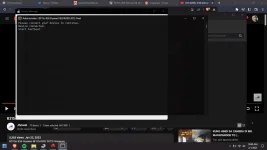
PH
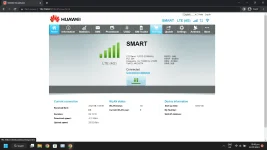
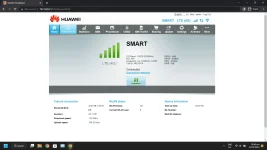
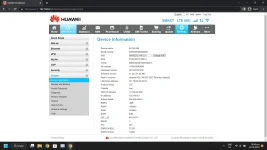
PHUpdates:
Download Link:
Download
(No need password)
Materials:
Steps:
1. Download the firmware and Run
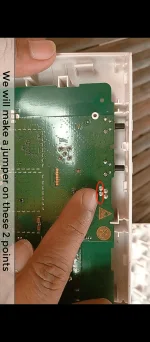
2. Disconnect your router and open the cover to do jumper.
3. Plug USB Male to Male.. Router to PC/Laptop.
4.. Install ADB and Huawei Driver.
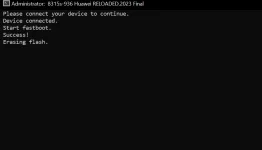
5. Install B315-936 Firmware
6. Wait until finish the setup.(After the reboot session)
Credits for : Jhowel Gracio Huerto, Jerome Laliag and Lucas Liam
- Stable Firmware
- Factory Unlocked
- Built-In IMEI Changer
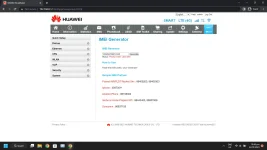
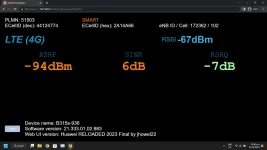
- Added Current Signal & Band Frequency values on Home Page
- New Menu Bar with Logo
- Power Button on Homepage
- Fixed DITO PLMN Name
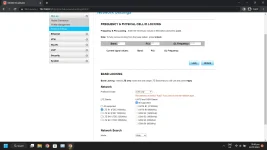
- Added Current signal values on network settings
- Update Antenna Dashboard
- Added Apps Menu
- Open Telnet
- Open ADB
- OpenVPN Supported
Download Link:
Download
(No need password)
Materials:
- B315-936 2023 Firmware
- USB A to A
Steps:
1. Download the firmware and Run
2. Disconnect your router and open the cover to do jumper.
3. Plug USB Male to Male.. Router to PC/Laptop.
4.. Install ADB and Huawei Driver.
5. Install B315-936 Firmware
6. Wait until finish the setup.(After the reboot session)
Credits for : Jhowel Gracio Huerto, Jerome Laliag and Lucas Liam

 Sana meron na din sa B312 939...