PH
PHbobongalferez
Enthusiast
DETAILS:
• 4GB Installed Size!
• File Explorer Tabs Enabled!
• Optional Windows Defender!
• Full Featured, Updatable Build!
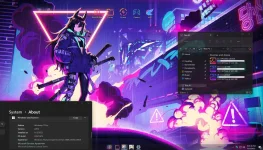
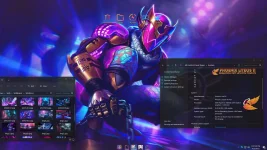
• Includes Optional System Transparency!
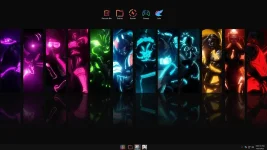
• Custom Cursors, Icons, Themes, Wallpapers, and MUCH MORE!
• Full Support for Additional Language Packs, Speech, Voice, etc.!
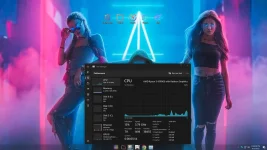
• Extreme Performance for your Apps and Games!
• Improved Stability and Performance!
• Bypasses TPM, Secure Boot, RAM, CPU, and Storage Checks!
• Bypasses Microsoft's Forced Account Creation during Setup / Installation!
• Credit to Hhoenix LiteOS @FBConan
Multi Build ISO With Selective Defender During Setup:
• Defender Edition
• Non-Defender Edition
Features Removed:
• Removed Features Include - Cortana, Smart Screen, Edge, Some UWP Apps.
• Disabled Features Include - Defender (Optional), Virtual Memory, Widgets, Windows Ink Workspace, Error Reporting, UAC, Ads, Telemetry, Hibernation, Power Throttling, Logging, and Download Blocking.
• Performance Prioritized! - This build has been designed for Maximum Performance, Responsiveness, and Resource Savings.
Installation Instructions:
• Use Rufus ONLY to write the ISO to a USB Drive.
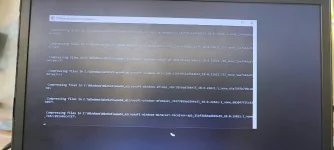
• Boot from the USB Drive, and Perform a Clean Installation to your desired partition.
• Your PC Will Reboot Once, Shortly After Installation Completes.
Release Notes:
System Requirements:
DOWNLOAD
You do not have permission to view the full content of this post. Log in or register now.

• 4GB Installed Size!
• File Explorer Tabs Enabled!
• Optional Windows Defender!
• Full Featured, Updatable Build!
• Includes Optional System Transparency!
• Custom Cursors, Icons, Themes, Wallpapers, and MUCH MORE!
• Full Support for Additional Language Packs, Speech, Voice, etc.!
• Extreme Performance for your Apps and Games!
• Improved Stability and Performance!
• Bypasses TPM, Secure Boot, RAM, CPU, and Storage Checks!
• Bypasses Microsoft's Forced Account Creation during Setup / Installation!
• Credit to Hhoenix LiteOS @FBConan
Multi Build ISO With Selective Defender During Setup:
• Defender Edition
• Non-Defender Edition
Features Removed:
• Removed Features Include - Cortana, Smart Screen, Edge, Some UWP Apps.
• Disabled Features Include - Defender (Optional), Virtual Memory, Widgets, Windows Ink Workspace, Error Reporting, UAC, Ads, Telemetry, Hibernation, Power Throttling, Logging, and Download Blocking.
• Performance Prioritized! - This build has been designed for Maximum Performance, Responsiveness, and Resource Savings.
Installation Instructions:
• Use Rufus ONLY to write the ISO to a USB Drive.
• Boot from the USB Drive, and Perform a Clean Installation to your desired partition.
• Your PC Will Reboot Once, Shortly After Installation Completes.
Release Notes:
- I Highly Recommend you download and install DX9 and VC++ Runtimes
- For AMD Ryzen Powered PC's, please download the latest Chipset Drivers
- Enabling Virtual Memory will help stop Apps from crashing, and improve stability. Run the included Virtual Memory Enabler App in the 'Extras' Folder to enable!
System Requirements:
- Processor: 1 gigahertz (GHz) or faster processor or SoC. 64-bit
- RAM: 1 gigabyte (GB) (4 GB Recommended)
- Hard disk space less than: 16 GB
- Graphics card: DirectX 9 graphics device or a newer version.
DOWNLOAD
You do not have permission to view the full content of this post. Log in or register now.