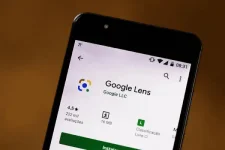
🔒 Closed Matinik na feature ng Google Lens: Pwede itanong kahit ano para sa student.

Status
Not open for further replies.
1666759197509.webp​

Homework​

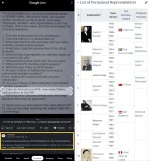
Another features of the Google Lens is to quickly find explainers, videos, and results from the web for math, history, chemistry, biology, physics, and more. Let Google Lens answer the tough questions for you effortlessly.
  1. Open Google Lens.
  2. Find and press the Homework button.
  3. Take a picture of the questions you want Google Lens to answer.
  4. Mark the questions you would like Google Lens to answer for you.
  5. While marking, Google Lens automatically provides possible answers to the questions below.
1666759566553.webp​

Source:​

You do not have permission to view the full content of this post. Log in or register now.
 
Status
Not open for further replies.

About this Thread

  • 2
    Replies
  • 657
    Views
  • 2
    Participants
Last reply from:
Narleipaulen

Trending Topics

Online now

Members online
854
Guests online
4,408
Total visitors
5,262

Forum statistics

Threads
2,331,103
Posts
29,255,635
Members
1,149,425
Latest member
jomarr0930
Back
Top