PH
PHiamramzkie
Forum Expert
Microsoft Office LTSC 2021 Professional Plus / Standard + Visio + Project
Operating System: Windows 10/11 (64-bit)
Microsoft Office LTSC 2021 is the latest version of the Microsoft Office suite of applications. It offers a range of new features and improvements over previous versions, making it an ideal upgrade for users who need the latest features and functionality. This guide will provide step-by-step instructions on how to upgrade to Microsoft Office LTSC 2021.
Before beginning the upgrade process, it is important to ensure that your computer meets the system requirements for Microsoft Office LTSC 2021. These requirements include a minimum of 4GB of RAM, a 1GHz processor, and at least 5GB of available disk space. Additionally, you must have a valid Microsoft Office license.
Once you have verified that your system meets the requirements, you can begin the upgrade process.
- Uninstall previous MS Office, then restart.
- Disable antivirus. To prevent auto delete of the downloaded installer.
- Download the Microsoft Office LTSC 2021 installer.
- Right click on the installer, ang then run as admin. (sometimes it takes seconds to load)
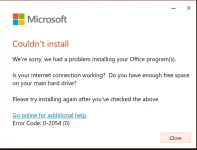
- Follow the on-screen instructions to complete the installation.
- Once the installation is complete, then it will auto-activate your license.
Download
You do not have permission to view the full content of this post. Log in or register now.