 PH
PH
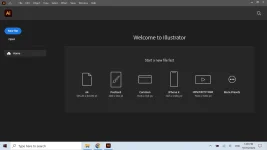
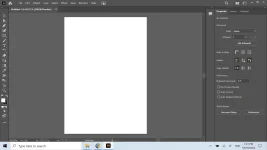
The industry-standard vector graphics software lets you create logos, icons, drawings, typography, and illustrations for print, web, video, and mobile. Millions of designers and artists use Illustrator CC to create everything from web icons and product packaging to book illustrations and billboards. With fast, responsive performance and precision tools, it’s easy to focus on design, not process. Reuse your vector graphics across documents. Work seamlessly with other Creative Cloud apps like Photoshop, InDesign, XD, and Premiere Pro. Illustrator makes it a snap to add artwork to designs, video, and more.
Features :
- Iconic work at any size.
Get all the drawing tools you need to turn simple shapes and colors into sophisticated logos, icons, and graphics. Illustrator artwork is vector-based software, so it can scale down for mobile screens and up to billboard size — and always look crisp and beautiful. - Gorgeous typography that says it all.
Incorporate a company name into a logo, create a flyer, or mock up a website design with the best type tools out there. Add effects, manage styles, and edit individual characters to create typographic designs that perfectly E×ρréšš your messages. - Draw attention everywhere.
Create freehand drawings, or trace and recolor imported photos to turn them into works of art. Use your illustrations anywhere, including printed pieces, presentations, websites, blogs, and social media. - Pro power comes standard.
With fast, responsive performance and precision tools, it’s easy to focus on design, not process. Reuse your vector graphics across documents. Work seamlessly with other Creative Cloud apps like Photoshop, InDesign, XD, and Premiere Pro. Illustrator makes it a snap to add artwork to designs, video, and more. - Freeform Gradients
Easily create rich color blends that give your objects and artwork a more natural look and feel. - Global Editing
Save time by modifying repeating text or objects across multiple artboards all at once. - Customizable toolbar
Add or remove tools so you have just the ones you want, and group them the way that works best for you. - Presentation and Trim Preview
Turn artboards into slides you can easily project and share, and see how documents with bleeds will look with the edges trimmed off.
How To Install?
- Uninstall previous Adobe Illustrator Application (kung merong naka install)
- Install "setup.exe" - [NOTE: detected sya ng defender na virus (syempre cr@cked to), i "Allow on Device] nyo lang at proceed install]
- Yun na yun ganun lang kadali (Pre-Cr@cked na to)
- Congrats!
Additional Notes:
OneDrive Link - Walang ka hassle hassle na link para sa lahat - super bilis i download (depende parin sa inet nyo haha)Download Link:
Download
Pass: Jirps333!
 all you have to do is ask kung nahihirapan ka hehehe
 OneDrive Link