 PH
PHInutil Kudasai
Forum Guru
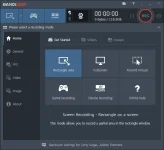
Bandicam is a lightweight desktop video application that lets you capture everything on your screen with high quality, like HD videos. You can shoot the whole screen or a specific part of it, with DirectX / OpenGL technology you can film the game space, and everything that your eyes see on the screen can be captured by this program. Bandicam does this with a high percentage of compression when shooting video from a gaming environment, although this compression will have no appreciable effect on the quality of the video received.
Bandicam Features and Features:
- Capture game environment, webcam, HDMI and desktop screen
- High quality, compact video from the gaming environment
- High output compression compared to other similar software
- Fast and easy upload of videos made to YouTube (or 720, 1080 or Full HD)
- 24-hour uninterrupted seizure
- Ability to record 4K ultra HD videos with a resolution of 3840 * 2160
- Log much less than other similar programs
- Ensure h.264 encoding hardware acceleration
- Support for Navidia CUDA / NVENC H.264 encoders
- Encoding Intels Quick Sync and AMD App H.264 Encoding
- Supports BMP, Png, Jpeg image formats
- Full control over frame capture capability (very important for shooting video games)
Minimum Requirements
OS Windows XP (SP3) / Vista / 7/8/10 (Support for 32-bit and 64-bit) Windows XP (SP3)
Intel Pentium 4 CPU 1.3 GHz or AMD Athlon XP 1500+
RAM 512 MB or more of RAM
HDD 1 GB or more of HDD
VGA 800 × 600 16bit Color
* You need administrator permission to use Bandicam
*Installer & Key gen included
D R O P M B :
Leave a comment if useful at nakatulong sa yo.
Download

OS Windows XP (SP3) / Vista / 7/8/10 (Support for 32-bit and 64-bit) Windows XP (SP3)
Intel Pentium 4 CPU 1.3 GHz or AMD Athlon XP 1500+
RAM 512 MB or more of RAM
HDD 1 GB or more of HDD
VGA 800 × 600 16bit Color
* You need administrator permission to use Bandicam
*Installer & Key gen included
D R O P M B :
Leave a comment if useful at nakatulong sa yo.
Download

