 PH
PHdothackjhe
Forum Master
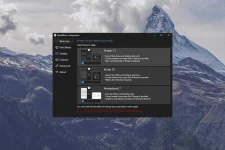
Introducing StartAllBack: Windows 11 from better timeline
Embrace, enhance, unsweep classic UI from under the rug
Restore and improve taskbar
- Show labels on task icons
- Adjust icon size and margins
- Move taskbar to top, left or right edges
- Drag and drop stuff onto taskbar
- Center task icons but keep Start button on the left
- Split into segments, use dynamic translucency
- Separate corner icons with Windows 7/10 UI
Restore and improve File Explorer and Control Panel
- Ribbon and Command Bar revamped with translucent effects
- Details pane on bottom
- Old search box (the one which works)
- Dark mode support for more dialogs
Restore and improve context menus
- All new look with rounded acrylic menus
- Fast and responsive taskbar menus
- New fonts, better touch support
Restore and improve start menu
- Launch apps and go to system places in one click
- Navigate dropdown menus like a boss
- Enjoy fast and reliable search
Finally, lightweight styling and UI consistency
- Enjoy Windows 7, Windows 10 and third-party taskbar and start menu styles
- Fix UI inconsistencies in Win32 apps
- Don't be blue: recolor UI in all windows apps
- Negative resource usage: fewer RAM used, fewer processes started