 PH
PHStep 1: Download the ISO file from the any of the download links given below:
You do not have permission to view the full content of this post. Log in or register now.
You do not have permission to view the full content of this post. Log in or register now.
You do not have permission to view the full content of this post. Log in or register now.
You do not have permission to view the full content of this post. Log in or register now.
You do not have permission to view the full content of this post. Log in or register now.
Step 2: Grab a USB drive (With at least 16GB of Space) and make it bootable with the help of You do not have permission to view the full content of this post. Log in or register now.
Step 3: Launch Rufus and select Windows 11 ISO file which you just downloaded.
Step 4: Don’t alter any other option and keep them all as default and then click on the Start button at the bottom.
Step 5: After that Windows 11 will be flashed in your USB drive.
Step 6: Plug this USB Drive into the system where you want to install Windows 11. Now restart your laptop/ PC and keep pressing the boot key.
Step 7: Choose USB Drive as primary from the Boot Device Options. After pressing the Enter button, Windows 11 installation process will start.
Step 8: Now Choose your Language, Time, and Keyboard Input Method. Click on Install Now.
Step 9: As you do not have the product key, click the “I don’t have a product key” option. Well, you can try this key if it works: YRNCB-CTX4T-2VV9D-PT4M4-W8F8B
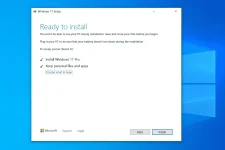
Step 10: Select the Windows 11 Edition you want to install. Select the partition for Windows 11 Installation. Click next and Your windows will start to install.
You do not have permission to view the full content of this post. Log in or register now.
You do not have permission to view the full content of this post. Log in or register now.
You do not have permission to view the full content of this post. Log in or register now.
You do not have permission to view the full content of this post. Log in or register now.
You do not have permission to view the full content of this post. Log in or register now.
Step 2: Grab a USB drive (With at least 16GB of Space) and make it bootable with the help of You do not have permission to view the full content of this post. Log in or register now.
Step 3: Launch Rufus and select Windows 11 ISO file which you just downloaded.
Step 4: Don’t alter any other option and keep them all as default and then click on the Start button at the bottom.
Step 5: After that Windows 11 will be flashed in your USB drive.
Step 6: Plug this USB Drive into the system where you want to install Windows 11. Now restart your laptop/ PC and keep pressing the boot key.
Step 7: Choose USB Drive as primary from the Boot Device Options. After pressing the Enter button, Windows 11 installation process will start.
Step 8: Now Choose your Language, Time, and Keyboard Input Method. Click on Install Now.
Step 9: As you do not have the product key, click the “I don’t have a product key” option. Well, you can try this key if it works: YRNCB-CTX4T-2VV9D-PT4M4-W8F8B
Step 10: Select the Windows 11 Edition you want to install. Select the partition for Windows 11 Installation. Click next and Your windows will start to install.
Enjoy