 PH
PHTrafficHunter
Leecher
1. Follow You do not have permission to view the full content of this post.
Log in or register now. to apply coupon
2. Type domain name you want to get

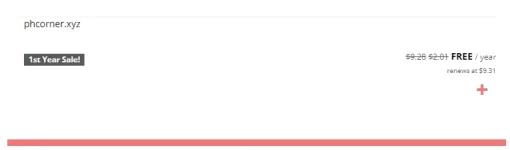
3. Click plus button
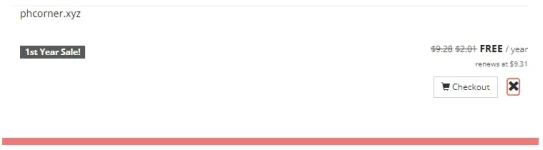
4. Click Checkout
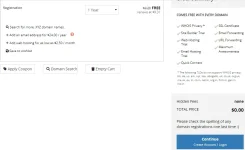
5. Click Continue
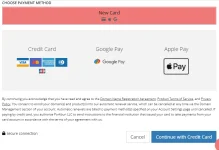
6. You need to fill the fields for account creation. After that, you will be taken to the payment selection page. Choose New Card, pass reCaptcha and click Continue with Credit Card.
7. Your card balance must be at least $ 1. If your bank supports virtual cards, this also works great.
8. Congratulations! All you have to do is take two steps if you don't want to pay $ 9.31 after 365 days
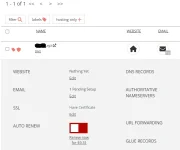
9. You need off Auto-renew button.
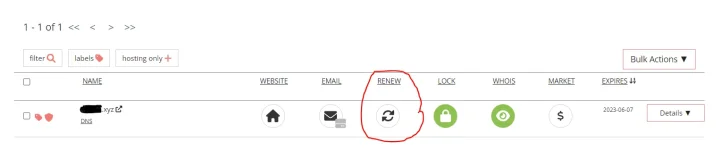
10. Click on Details to check.
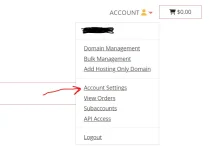
11. And finally, go to Account Settings and delete your credit card from Billing Information section.
If this manual was useful for you, please click like or write a comment
2. Type domain name you want to get
3. Click plus button
4. Click Checkout
5. Click Continue
6. You need to fill the fields for account creation. After that, you will be taken to the payment selection page. Choose New Card, pass reCaptcha and click Continue with Credit Card.
7. Your card balance must be at least $ 1. If your bank supports virtual cards, this also works great.
8. Congratulations! All you have to do is take two steps if you don't want to pay $ 9.31 after 365 days
9. You need off Auto-renew button.
10. Click on Details to check.
11. And finally, go to Account Settings and delete your credit card from Billing Information section.
If this manual was useful for you, please click like or write a comment