 PH
PH
J
Jeanh
Photoshop CC (2015) x64 Full Version
S
ystem Requirements:
Processor: Intel ® Pentium ® 4 or AMD Athlon ® 64
Operating system: Microsoft ® Windows ® XP * with Service Pack 3; or Windows 7 with Service Pack 1
Memory: 1GB of RAM
HDD: 1GB of available hard-disk space for installation; additional free space required during installation
1024 × 768 (1280 × 800 recommended) resolution display with 16-bit color and 256MB (512MB recommended, required for Photoshop Extended) of VRAM
OpenGL 2.0 capable system
DVD-ROM drive
Edit once, update everywhere with Linked Assets
Artboards for efficient design.
Find the perfect image or graphic, fast. The new Adobe Stock marketplace lets you find, license and manage royalty-free images and videos from right within Photoshop CC. Select from 40 million assets, save your selection to your Creative Cloud Libraries and then drag it into your project to use.
Streamlined and optimized experience for designers.
Faster, easier image export .
Add more layer styles to get the look you want.
Get more realistic blurs with additive noise.
Heal and ρá†ch images faster than ever.
Glyph panel for better access to glyphs in all your designs.
Move and extend objects with more control.
Better panoramas with Content-Aware Fill.
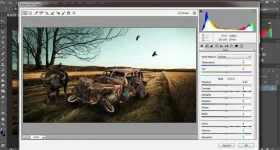
Adobe Camera Raw 8 enhancements.
Better viewing experience on Windows HiDPI displays
Photoshop CC for Windows now supports HiDPI screens, so you get more pixels and sharper image displays. Previously released as a technology preview, HiDPI support now turns on automatically when the app detects a HiDPI screen.
Simplify complex 3D models
Easily reduce the resolution of 3D models to boost Photoshop performance and to extend the reach of your high-quality 3D content to tablets, smartphones and other devices.
Automatically generate bump maps from images
Automatically generate more accurate bump/normal maps from textures in photographs. Also, easily control the height and depth of the emboss/deboss generated from the bump/normal maps you add to the surface of 3D models.
Easily print your 3D content
Produce print-ready 3D PDF and SVX files, and submit print jobs to 3D Hubs from directly within Photoshop CC for quick and easy access to local 3D printing service providers.
Also includes: Improved behavior when moving layers; up to 80% reduction in energy usage when idling; updated pricing for 3D printing service providers; and more.
Install Notes:
1. Disable Internet connection.
2. Make sure you do not have any of the following entries in your hosts file.
127.0.0.1 lmlicenses.wip4.adobe.com
127.0.0.1 lm.licenses.adobe.com
3. Install Photoshop CC. [Follow the Images in Installation Screenshots folder]
4. After Installation. Launch Photoshop as Trial. [Its Important]
5. Close Photoshop.
6. Copy the file "amtlib.dll" from Crack folder to Installation directory. [C:\Program Files\Adobe\Adobe Photoshop CC 2015\]
7. Block the program in your firewall and add the following lines to your hosts file.
127.0.0.1 lmlicenses.wip4.adobe.com
127.0.0.1 lm.licenses.adobe.com
127.0.0.1 na1r.services.adobe.com
127.0.0.1 hlrcv.stage.adobe.com
127.0.0.1 practivate.adobe.com
127.0.0.1 activate.adobe.com
8. Run the program & Enjoy.
NOTE: Hosts file is located in C:\Windows\System32\drivers\etc\
You do not have permission to view the full content of this post. Log in or register now.

S
ystem Requirements:
Processor: Intel ® Pentium ® 4 or AMD Athlon ® 64
Operating system: Microsoft ® Windows ® XP * with Service Pack 3; or Windows 7 with Service Pack 1
Memory: 1GB of RAM
HDD: 1GB of available hard-disk space for installation; additional free space required during installation
1024 × 768 (1280 × 800 recommended) resolution display with 16-bit color and 256MB (512MB recommended, required for Photoshop Extended) of VRAM
OpenGL 2.0 capable system
DVD-ROM drive
Edit once, update everywhere with Linked Assets
Artboards for efficient design.
Find the perfect image or graphic, fast. The new Adobe Stock marketplace lets you find, license and manage royalty-free images and videos from right within Photoshop CC. Select from 40 million assets, save your selection to your Creative Cloud Libraries and then drag it into your project to use.
Streamlined and optimized experience for designers.
Faster, easier image export .
Add more layer styles to get the look you want.
Get more realistic blurs with additive noise.
Heal and ρá†ch images faster than ever.
Glyph panel for better access to glyphs in all your designs.
Move and extend objects with more control.
Better panoramas with Content-Aware Fill.
Adobe Camera Raw 8 enhancements.
Better viewing experience on Windows HiDPI displays
Photoshop CC for Windows now supports HiDPI screens, so you get more pixels and sharper image displays. Previously released as a technology preview, HiDPI support now turns on automatically when the app detects a HiDPI screen.
Simplify complex 3D models
Easily reduce the resolution of 3D models to boost Photoshop performance and to extend the reach of your high-quality 3D content to tablets, smartphones and other devices.
Automatically generate bump maps from images
Automatically generate more accurate bump/normal maps from textures in photographs. Also, easily control the height and depth of the emboss/deboss generated from the bump/normal maps you add to the surface of 3D models.
Easily print your 3D content
Produce print-ready 3D PDF and SVX files, and submit print jobs to 3D Hubs from directly within Photoshop CC for quick and easy access to local 3D printing service providers.
Also includes: Improved behavior when moving layers; up to 80% reduction in energy usage when idling; updated pricing for 3D printing service providers; and more.
Install Notes:
1. Disable Internet connection.
2. Make sure you do not have any of the following entries in your hosts file.
127.0.0.1 lmlicenses.wip4.adobe.com
127.0.0.1 lm.licenses.adobe.com
3. Install Photoshop CC. [Follow the Images in Installation Screenshots folder]
4. After Installation. Launch Photoshop as Trial. [Its Important]
5. Close Photoshop.
6. Copy the file "amtlib.dll" from Crack folder to Installation directory. [C:\Program Files\Adobe\Adobe Photoshop CC 2015\]
7. Block the program in your firewall and add the following lines to your hosts file.
127.0.0.1 lmlicenses.wip4.adobe.com
127.0.0.1 lm.licenses.adobe.com
127.0.0.1 na1r.services.adobe.com
127.0.0.1 hlrcv.stage.adobe.com
127.0.0.1 practivate.adobe.com
127.0.0.1 activate.adobe.com
8. Run the program & Enjoy.
NOTE: Hosts file is located in C:\Windows\System32\drivers\etc\
You do not have permission to view the full content of this post. Log in or register now.

 Goodluck