 PH
PHfrankoister
Forum Expert

 This Build Has Everything that's Included in You do not have permission to view the full content of this post.
Log in or register now. Build
This Build Has Everything that's Included in You do not have permission to view the full content of this post.
Log in or register now. Build
 And adds everything needed to run Android Apps Natively in Windows 11!
- Designed to Breathe New Life Into Your PC -
 Multi Edition ISO Multi Language Support! Full Featured, Updatable Build! Updates Paused Until 2099! Selective File Compression During Setup! Extreme Performance for your Apps and Games! Bypasses TPM, Secure Boot, RAM, CPU, and Storage Checks! Windows Subsystem for Android (WSA) Integrated! Windows 11 21H2 Pro (22000.706) LiTE Build
This Build Has Everything Included in Previously Released You do not have permission to view the full content of this post. Log in or register now. Build, and also adds the following:
.NET Framework 3.5 ★ DirectPlay
Virtual Machine Platform ★ Android Debug Bridge
Windows Subsystem for Android (WSA) ★ WSA Tools (To Install Android Apps)
- Very Important! -
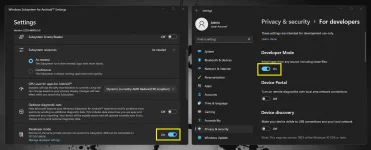
You need to Turn on Developer Mode, in WSA Settings, and in Windows Settings, to Install apk files using WSA Tools:
- APK Installation and Operation -
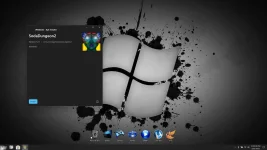
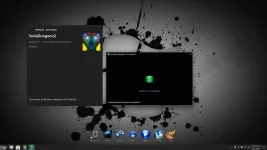
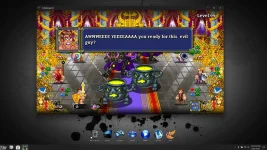
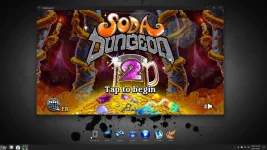
Here, I install, and run the android game 'Soda Dungeon 2' by installing the apk file using WSA Tools:
- This Build Also Includes Custom Added -
Icons ★ Themes ★ Wallpapers
Start Orbs ★ File Compression ★ System Fonts
Performance Settings ★ Performance Tweaks
Privacy Tweaks ★ Power Tweaks
Tools ★ Extras ★ Games
- Added UWP Apps -
Windows Insider 22H2 Paint App v11.2203.2.0
Windows Insider 22H2 Notepad App v11.2203.10.0
Microsoft UI Xaml 2.7 v7.2203.17001.0
Microsoft VCLibs 140.00 UWPDesktop v14.0.30704.0
Microsoft VCLibs 140.00 v14.0.30704.0
- Added 3rd Party Apps -
StartAllBack v3.4
7-zip File Manager v21.07
IrfanView v4.57 x64
uTorrent v2.2.1
WinAeroTweaker v1.33
Everything Search Engine v1.4.1.895
Virtual Memory Enabler
Classic Calculator
- Added Games -
Windows XP Games
Windows 7 Games
Ice Breaker
Digger
- Removed -
Defender ★ Edge ★ SmartScreen
Hello Face ★ Some UWP Apps
- Disabled -
UAC ★ BitLocker Service ★ Widgets
Error Reporting ★ Ads ★ Telemetry
Hibernation ★ Power Throttling ★ SuperFetch
Automatic Maintenance ★ Virtual Memory
- Multi Edition ISO -
Let's you install this build with Light File Compression (Faster Install)
Or LZX (Heavy) File Compression (Slower Install)
- Performance Prioritized -
This build has been designed to Maximize Performance, Responsiveness, and Resource Savings.

• Use Rufus ONLY to write the ISO to a USB Drive.
• Boot from USB Drive, and Perform a Clean Installation to your desired partition.
• Your PC Will Restart Once After Installation Completes.
• Requires 2GB RAM, 8 GB Storage Space.

• I highly recommend you download and install DX9 and VC++ Runtimes
• For AMD Ryzen Powered PC's
 , please download the latest Chipset Drivers
 • Enabling Virtual Memory will help stop Apps from crashing, and improve stability. Run the included Virtual Memory Enabler file in the 'Extras' Folder to enable!
 System Transparency is Enabled by Default, to Disable it, go to Task Manager, Startup Tab, and change clear.exe from enabled, to disabled, and sign out. You can Activate this build with your personal license, or with my recommend Ac†ïvâ†ør

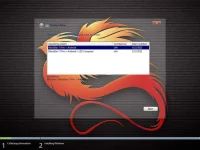
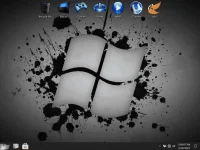
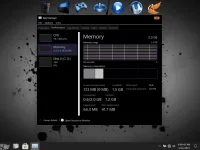
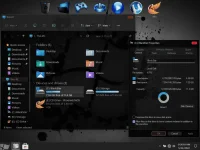
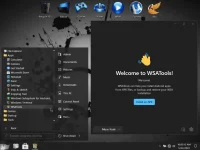
- MS Store, Settings, New Paint and Notepad Apps -
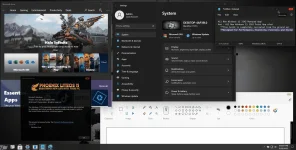
★ Windows Update ★
I Successfully Updated to Build 22000.708 Through Windows Settings Without Issue!
Spoiler contents are visible only to Established Members.
But I Recommend Keeping Automatic Updates Paused, and updating manually
Download Here
Spoiler contents are visible only to Established Members.
- IMPORTANT -
I want to reiterate that WSA is not meant for low spec, or older PC's.
It is very resource hungry, and I recommend you not try running WSA on a PC that doesn't meet Microsoft's minimum requirements.
WSA Is also still in it's infancy, and you will find that App support is hit and miss at this time.
That being said, the Apps that did run, worked well in my tests, so I'm sure you're gonna have fun with this build!
Make Sure you turn on Developer Mode in WSA Settings, and Windows Settings! (See images above)
 To Run WSA on your PC, you must meet the minimum Hardware Requirements:
Minimum 8 GB of RAM, 16 GB recommended.
Solid State Drive (SSD). Legacy hard drives are not supported.
CPU: x64 Intel Core i3 8th gen or newer; AMD Ryzen 3000 (Zen2) or newer
If you don't meet the minimum requirements, chances are, WSA will not run on your PC. If your PC doesn't meet these requirements, I highly recommend you do not install this buildCREDITS
FBconanTeamOS