🔒 Closed Use Command Prompt to Talk with other computers on your network:-

Status
Not open for further replies.

winz001

Eternal Poster

All you need is your friends IP address and Command Prompt.

Firstly, open Notepad and enter:

echo off
:A
Cls
echo MESSENGER
set /p n=User:
set /p m=Message:
net send %n% %m%
Pause
Goto A

Now save this as Messenger .bat.

Open the .bat file and Now type in the message you wish to send.

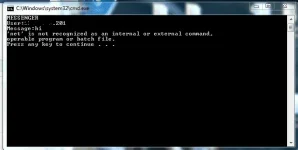
Before you press Enter it should look like this:

MESSENGER
User: 56. 108. 104. 107
Message: Hi

Now all you need to do is press Enter,and start chatting!
_________________________
 
Status
Not open for further replies.

About this Thread

  • 12
    Replies
  • 966
    Views
  • 11
    Participants
Last reply from:
John__Wick

Trending Topics

Online now

Members online
1,108
Guests online
2,737
Total visitors
3,845

Forum statistics

Threads
2,332,395
Posts
29,264,629
Members
1,144,270
Latest member
RitsukaF
Back
Top