PH
PH
Microsoft Office PRO Plus 2021 Retail Version 2108 Build 14326.20454 FULL
Office 365 ProPlus, the cloud-connected version of Office, delivers the most productive and most secure Office experience—with the lowest total cost of ownership for deployment and management. However, for customers who aren’t ready for the cloud, Office 2016-2019 provides new features and updates to the on-premises apps for both users and IT professionals. Like Windows Long Term Servicing Channel (LTSC) releases, Office 2021 provides a set of valuable enhancements for customers who can’t be cloud-connected or receive regular updates.
The new enhancements in Office 2021 are a subset of a long list of features that have been added to Office 365 ProPlus over the last three years. Office 2021 is a one-time release and won’t receive future feature updates. However, we’ll continue to add new features to Office 365 ProPlus monthly, including innovations in collaboration, artificial intelligence (AI), security, and more. Office 2019 delivers features across apps to help users create amazing content in less time. In PowerPoint 2019, you can create cinematic presentations with new features like Morph and Zoom. And improved inking features across the apps in Windows—like the roaming pencil case, pressure sensitivity, and tilt effects—allow you to naturally create documents.
The new enhancements in Office 2021 are a subset of a long list of features that have been added to Office 365 ProPlus over the last three years. Office 2021 is a one-time release and won’t receive future feature updates. However, we’ll continue to add new features to Office 365 ProPlus monthly, including innovations in collaboration, artificial intelligence (AI), security, and more. Office 2019 delivers features across apps to help users create amazing content in less time. In PowerPoint 2019, you can create cinematic presentations with new features like Morph and Zoom. And improved inking features across the apps in Windows—like the roaming pencil case, pressure sensitivity, and tilt effects—allow you to naturally create documents.
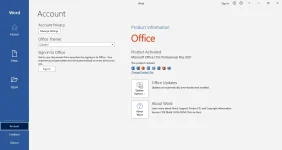
Installation GuideMicrosoft Office Professional 2021 includes:
Microsoft Office 2021 Professional Plus
Microsoft Access 2021
Microsoft Excel 2021
Microsoft Lync 2021
Microsoft OneNote 2021
Microsoft Outlook 2021
Microsoft PowerPoint 2021
Microsoft Publisher 2021
Microsoft Visio Viewer 2021
Microsoft Word 2021
Microsoft Visio pro 2021
Microsoft Project Pro 2021
Skype for business 2021
OneDrive for Business 2021
Office Shared Features
Proofing Tools Only 2021
And many more
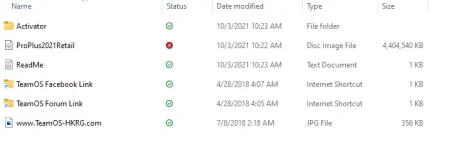
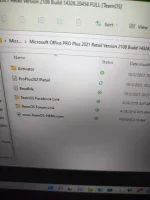
1) Mount ISO and install office
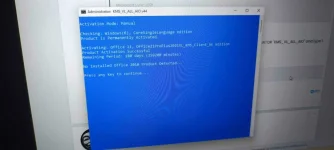
2) Make sure Office setup is closed, from Ac†ïvâ†ør Folder run as ADMINISTRATOR "KMS_VL_ALL_AIO" and type 1
DONE!
You do not have permission to view the full content of this post. Log in or register now.