 PH
PH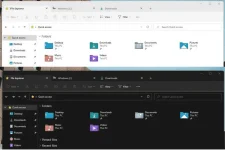
Enable tabs for File Explorer on Windows 11
To enable tabs in File Explorer, use these steps:1. Open GitHub website.
You do not have permission to view the full content of this post. Log in or register now.
2. Download the ViveTool-vx.x.x.zip file to enable the new Start menu.
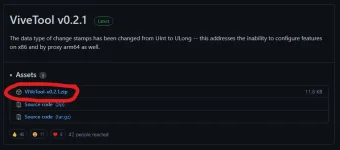
3. Extract the zip file. (Preferably to be extracted in a new folder.)
4. Open Start menu.
5. Search for Command Prompt, right-click the top result, and select the Run as administrator option.
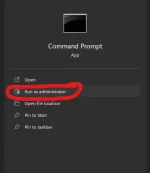
6. Type the following command to navigate to the ViveTool folder and press Enter:
cd C:\FOLDER\PATH\ViveTool-v0.2.1
In the command, remember to change the path to the folder with your path.
7. Type the following command to enable File Explorer tabs on Windows 11 and press Enter:
vivetool addconfig 34370472 2
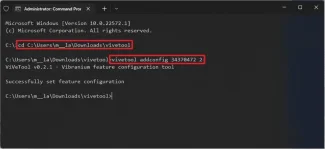
8. Restart the computer.
Once you complete the steps, File Explorer will now appear with the ability to create and use tabs.