PH
PHTUTORIALS UNLOCKING HUAWEI POCKET WIFI:
IMPORTANT REMINDERS:
= READ AND UNDERSTAND THE TUTORIAL
= HUAWEI only don't ask for ZTE
= purpose nito ay para ma OPEN LINE lang
= 1 (ONE) time lang natin gagamitin ang code pag ayaw try a different code
2 WAYS TO HAVE YOUR UNLOCK CODES
1. Go to You do not have permission to view the full content of this post. Log in or register now.
V1 code = for IMEI na nag start sa 35-
V2 code = for IMEI na nag start sa 86-
V201code = same as V2 code eto lage unahin nyo basta nag start un IMEI sa 86-
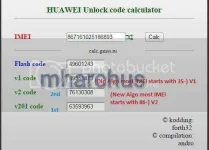
2. Post your IMEI & Model ako magbibigay ng unlock codes
Steps Unlocking:
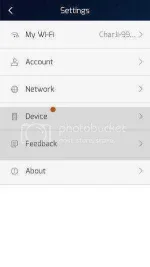
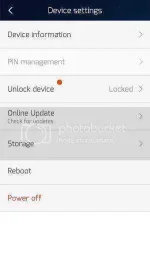
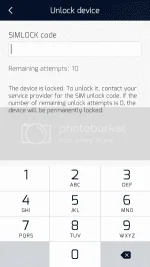
(A) Unlocking via Hilink app (easiest & fastest way)
- pasukan iba sim ang pocket wifi
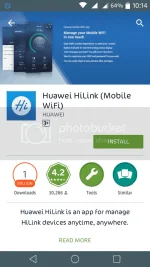
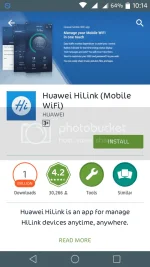
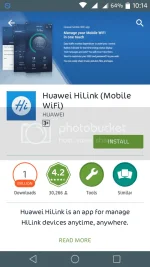
- download hilink app sa play store
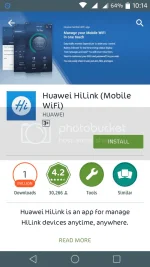
or download here You do not have permission to view the full content of this post. Log in or register now.
- connect qa sa pocket wifi
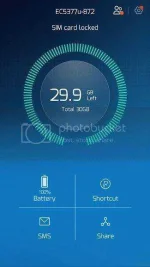
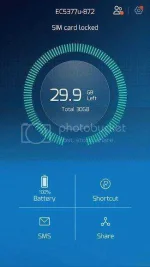
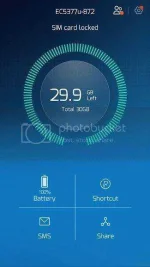
- open hilink
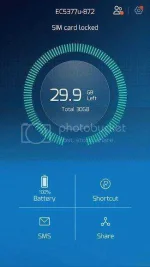
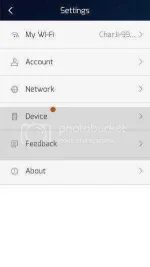
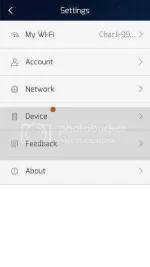
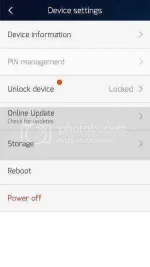
- go to setting
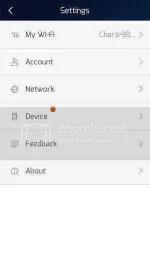
- click device
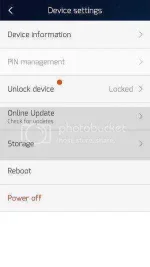
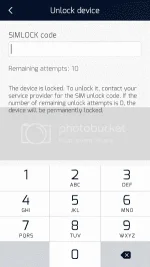
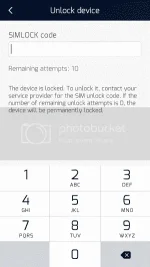
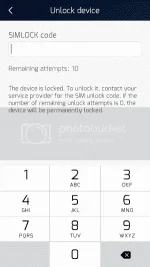
- click unlock device
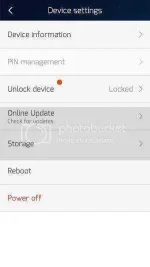
- lagay muna ang 8 digit unlock code
- Done...
(B) Unlocking Via browser
- pasukan iba sim ang pocket wifi
- connect & type sa browser 192.168.8.1 or 192.168.1.1
- log in if globe (default is admin) if smart (default is smartbro)
- go to settings, dial up, mobile connection
- pag may nakita ka box just enter d unlock code
- done
happy unlocking & good luck
APN Settings for Globe
Prepaid APN:http.globe.com.ph
APN Settings for Smart Bro
Prepaid APN: smartbro
APN Settings for Smart Buddy, Smart Gold, TNT
APN: internet
APN Settings for Sun Cellular
Prepaid
APN (static): minternet
Authentication: PAP
IP address: dynamic
RESET UNLOCK CODE COUNTER:
will update pag meron na ulit working tutorial.
IMPORTANT REMINDERS:
= READ AND UNDERSTAND THE TUTORIAL
= HUAWEI only don't ask for ZTE
= purpose nito ay para ma OPEN LINE lang
= 1 (ONE) time lang natin gagamitin ang code pag ayaw try a different code
2 WAYS TO HAVE YOUR UNLOCK CODES
1. Go to You do not have permission to view the full content of this post. Log in or register now.
V1 code = for IMEI na nag start sa 35-
V2 code = for IMEI na nag start sa 86-
V201code = same as V2 code eto lage unahin nyo basta nag start un IMEI sa 86-
2. Post your IMEI & Model ako magbibigay ng unlock codes
Steps Unlocking:
(A) Unlocking via Hilink app (easiest & fastest way)
- pasukan iba sim ang pocket wifi
- download hilink app sa play store
or download here You do not have permission to view the full content of this post. Log in or register now.
- connect qa sa pocket wifi
- open hilink
- go to setting
- click device
- click unlock device
- lagay muna ang 8 digit unlock code
- Done...
(B) Unlocking Via browser
- pasukan iba sim ang pocket wifi
- connect & type sa browser 192.168.8.1 or 192.168.1.1
- log in if globe (default is admin) if smart (default is smartbro)
- go to settings, dial up, mobile connection
- pag may nakita ka box just enter d unlock code
- done
happy unlocking & good luck
APN Settings for Globe
Prepaid APN:http.globe.com.ph
APN Settings for Smart Bro
Prepaid APN: smartbro
APN Settings for Smart Buddy, Smart Gold, TNT
APN: internet
APN Settings for Sun Cellular
Prepaid
APN (static): minternet
Authentication: PAP
IP address: dynamic
RESET UNLOCK CODE COUNTER:
will update pag meron na ulit working tutorial.