PH
PHHellow po..Na Pagana Ko Po Yung B535-932 USB MODE nya..Kaso di po ako marunong Mag Openline Nito..Kaya Kayo Na Po Bahala Mag Openline..
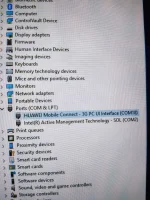
Step 1. Install Nyo Po Yung ADB Driver Saka Huwawei Drivers Muna Sa Laptop Pc...Pag Di Nyo Po Install Yan..di Gagana..Kaya Install nyo..
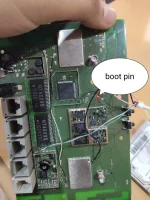
Step 2. Using Jumper Mode..Need Nyo Ng USB Cable...Tapos Yung Boot Pin I-Dikit Nyo Ng Wire Unahin Nyo Para Pumunta Sya Sa Usb Mode Tapos Saksaknyo na yung Usb Jumper Sa Laptop/PC Then Yung Charger Nya..
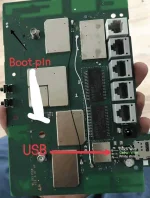
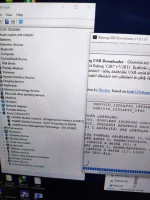
Ito Po Yung Usb Nya..
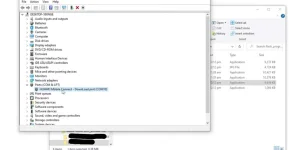
Kayo Na Po Bahala.Mag Openline Nyan..Kasi Di Ako Marunong Mag Openline ng Modems..
Step 1. Install Nyo Po Yung ADB Driver Saka Huwawei Drivers Muna Sa Laptop Pc...Pag Di Nyo Po Install Yan..di Gagana..Kaya Install nyo..
Step 2. Using Jumper Mode..Need Nyo Ng USB Cable...Tapos Yung Boot Pin I-Dikit Nyo Ng Wire Unahin Nyo Para Pumunta Sya Sa Usb Mode Tapos Saksaknyo na yung Usb Jumper Sa Laptop/PC Then Yung Charger Nya..
Ito Po Yung Usb Nya..
Kayo Na Po Bahala.Mag Openline Nyan..Kasi Di Ako Marunong Mag Openline ng Modems..