 PH
PHfrankoister
Forum Expert
System Requirements for EaseUS PDF Editor
- Operating System: Windows XP/Vista/7/8/8.1/10
- RAM: 1 GB
- Hard Disk: 50 MB
- Processor: Intel Dual Core or higher processor
EaseUS PDF Editor Features
Below are some noticeable features which you will experience after EaseUS PDF Editor Pro 2021 Free Download Free Download- Impressive PDF editor which allows you to edit, create, manage and convert PDF files.
- Provides a rich set of editing tools for opening and editing PDF documents.
- Ability to export your document to Word, Excel, PowerPoint, HTML, BMP, JPEG, PNG, GIF or TIFF.
- Allows you to specify if you are interested in converting only the current page, all of them, or a certain page range.
- Uses a built-in converting feature that works with a fast speed.
- Supports all the popular file system types including NTFS FAT32 FAT16 FAT12.
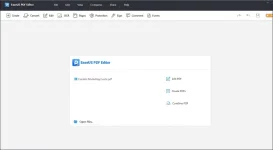
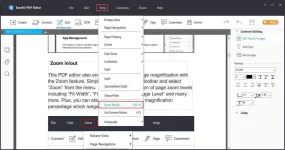
- Offers a simple interface with a number of self-explanatory editing functions enabling the users to easily open and then modify PDF documents.
- Provides you with all the basic tools to work with PDF files including PDF maker, PDF editor, PDF converter, and PDF reader.
- Has got a variety of settings to present the PDF files in a smart and interactive manner.
- Allows you to insert, delete, reorder, extract, or crop a PDF as you want.
- Includes tools for scrolling a document in any direction with the help of a hand.
- Capability of selecting any object for viewing, editing properties, as well as for drawing rectangles, circles, lines and arrows.
- Lets you insert the footer and header, or add page numbers to the PDF in no time.
- Allows you to add new text, notes and use the selection, insert stamps or images from external files.
- Add underline, strikethrough or wavy effect to the text.
- Gives you the possibility to set new passwords and manage permissions when printing and copying.
- Supports adding watermark and specific drawing to the document to make it more protected.
- Keeps a detailed history of editing which allows you to view past actions and undo changes, if necessary.
- Other noteworthy features include Search & Replace, set an image as background, Bates Numbering, and more.
You do not have permission to view the full content of this post. Log in or register now.
Installation Guide:
- Extract the 7zip archive file
- Install Setup dont run after the installation
- Copy and Paste all files from fix folder to the directory(C:\Program Files (x86)\EaseUS\EaseUS PDF Editor)
- Run the software enjoy
Note: Turn off first your windows defender and firewall or any antivirus before you start the installation to avoid any error
Note #2: You need to have internet connection when you convert sensitive pdf to convert successfully the unconverted pdf file
