 PH
PH- Requirements:
Windows XP64 / Vista64 / Windows 7 64 / Windows 8 64 / Windows 10 64 / Windows 11
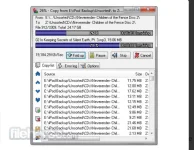
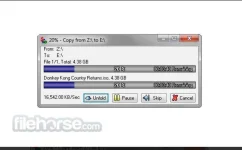
Supercopier is a very handy You do not have permission to view the full content of this post. Log in or register now. that can help you to take full control over file copying, transferring, or moving any amount of computer files in a safe environment. Built from the ground up to provide users with the ways to closely observe results of each file transfer session (including verifying checksums, viewing errors and applying filters), this app can easily serve both computer novices who want reliable file copy service and seasoned professionals who want to make sure their work is transferred to the target location without any data corruption. Even though the app is lightweight and features a simple interface, it has a wide array of very useful tools that help it be one of the most flexible dedicated file transfer manager apps on the market.
And the best thing of them all, Supercopier 64 bit is completely free for both personal and commercial use and can be started on almost any modern desktop and laptop PCs.
While this version of Supercopier is packaged inside an automated installer, a special portable version can also be found and easily used from any modern portable storage device of your choice (such as USB storage stick).
Installation and Use
The program is not a big application, and therefore you will be able to install it very quickly on your desktop PC or laptop by simply following on-screen instructions. Mere seconds after starting the installation, you can start the app and see the simple-but-powerful toolset it provides. By default, It will be located in the system tray area of your taskbar, and the most commonly used functions (copying, transferring, or moving) are accessible from its right-click menu.
Before each transfer, It will ask you to specify the target directory, and by clicking on the button “More” will provide options for customizing the transfer to best fit your needs. Each transfer is accompanied by a current file transfer status, entire batch transfer status, and four tabs for managing transfers. Those tabs are Copy List (where you can see the listing of all files scheduled for transfer, you can edit this list, sort it, or even save it for future repeated use), Error (where any checksum or file transfer error will be showcased), Interface (for managing the appearance of the app in various situations) and Copy Engine (for controlling specific aspects of copying).
Options area will move you to a standalone window that features the following tabs filled with additional customizations – General, Plugins, Copy Engine, Listener, Plugin Loader, Session Loader, Themes, and Log.
Features and Highlights
- One-stop solution for reliable and highly-customizable file transfers.
- Take full control over copying, You do not have permission to view the full content of this post. Log in or register now. on your desktop PC or laptop.
- Fully featured error console, behavior tools, and worklist management.
- Small and lightweight on resources.
- Created in an open-source environment.
- Available in both 32-bit and 64-bit versions.
- Compatible with all modern versions of Windows (2K, XP, Vista, 7, 8, 10).
- 100% FREE
Download link:You do not have permission to view the full content of this post. Log in or register now.