 PH
PH-
Welcome to PHCorner Forums! Sign up for free to unlock full access and exclusive privileges, including:
- Asking questions about computer and mobile issues
- Discovering internet tips for your mobile network and computer
You are using an out of date browser. It may not display this or other websites correctly.
You should upgrade or use an alternative browser.
You should upgrade or use an alternative browser.
🔒 Closed Help po, pano po ilabas yung picture from database
- Thread starter Lenardkun
- Start date
- Status
- Not open for further replies.
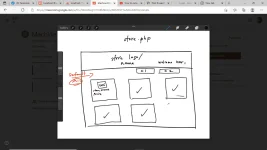
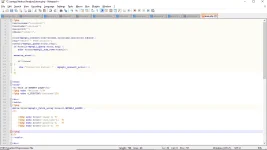

1. Uploading Process
a. Make a directory that will store your uploaded image. Directory/folder must be saved in the same directory as your project
b. When upload is started, simply make a copy of the image into the directory created in 1.a (Optional: Rename photos based on record id and add desc etc)
b. Insert filename.jpg into the table (nagawa mo na to)
2. Displaying image(s)
a. Write a query to retrieve all image(s)
b. make an img tag and set the source properly. Ex'< img src#='./directory/filename/>
a. Make a directory that will store your uploaded image. Directory/folder must be saved in the same directory as your project
b. When upload is started, simply make a copy of the image into the directory created in 1.a (Optional: Rename photos based on record id and add desc etc)
b. Insert filename.jpg into the table (nagawa mo na to)
2. Displaying image(s)
a. Write a query to retrieve all image(s)
b. make an img tag and set the source properly. Ex'< img src#='./directory/filename/>
1. Uploading Process
a. Make a directory that will store your uploaded image. Directory/folder must be saved in the same directory as your project
b. When upload is started, simply make a copy of the image into the directory created in 1.a (Optional: Rename photos based on record id and add desc etc)
b. Insert filename.jpg into the table (nagawa mo na to)
2. Displaying image(s)
a. Write a query to retrieve all image(s)
b. make an img tag and set the source properly. Ex'< img src#='./directory/filename/>
okie na po sya. natapos ko nadin po yung mga natira katulad nung magdidisplay yung mga magkakacategory na product. CSS nalang po kulang ko hahaha. Thank you po1. Uploading Process
a. Make a directory that will store your uploaded image. Directory/folder must be saved in the same directory as your project
b. When upload is started, simply make a copy of the image into the directory created in 1.a (Optional: Rename photos based on record id and add desc etc)
b. Insert filename.jpg into the table (nagawa mo na to)
2. Displaying image(s)
a. Write a query to retrieve all image(s)
b. make an img tag and set the source properly. Ex'< img src#='./directory/filename/>
- Status
- Not open for further replies.
About this Thread
-
2Replies
-
709Views
-
2Participants
Last reply from:
Lenardkun
Lenardkun
New Topics
-
-
SIM CARD CHECKER
- Started by HiroshiKim
- Replies: 12
- 💻 Coding & Programming
-
How to Redeem Your 1 Billion Tokens in Muse AI
- Started by Keinz
- Replies: 1
- 💻 Coding & Programming
-
CODING AI Is FREE on Cline Desktop ( LIMITED TIME )
- Started by Keinz
- Replies: 0
- 💻 Coding & Programming
-
Scan and fix compromised wordpress website
- Started by caredebs
- Replies: 0
- 💻 Coding & Programming
-
Zefame Free Service Automated
- Started by mtplay
- Replies: 2
- 💻 Coding & Programming
-
Newbie Coding/Programming Question.
- Started by zhaenarez25
- Replies: 10
- 💻 Coding & Programming
-
Cαиνα TEAMS LINK
- Started by Keinz
- Replies: 2
- 💻 Coding & Programming
-
Spotify 3M Redeem Links
- Started by Keinz
- Replies: 4
- 💻 Coding & Programming
Trending Topics
Online now
- Members online
- 332
- Guests online
- 2,434
- Total visitors
- 2,766