 PH
PH- Requirements:
Windows Vista / Windows 7 / Windows 8 / Windows 10
Android Studio is a popular software development environment by Google (also known as an You do not have permission to view the full content of this post. Log in or register now.) that enables programmers and engenders from all around the world direct access to the tools for coding, debugging, performance-optimizing, version compatibility checking, hardware compatibility checking (various android devices and screen size, including tablets), and many other tools that can help developers to better automate the process of coding and enable quicker iteration and discovery. Android Studio features all of those tools, including many that can help programmers to easily create their android-based project from conception to final distribution. That includes tools for design, test, debug, compiling, and profiling your app.
Features and Highlights
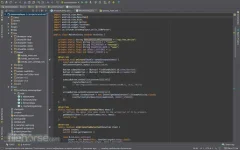
Intelligent code editor
At the core of the tool is an intelligent code editor capable of advanced code completion, refactoring, and code analysis. The powerful code editor helps you be a more productive Android app developer.
Code templates and GitHub integration
New project wizards make it easier than ever to start a new project. Start projects using template code for patterns such as navigation drawer and view pagers, and even import Google code samples from You do not have permission to view the full content of this post. Log in or register now..
Multi-screen app development
Build apps for Android phones, tablets, Android Wear, Android TV, Android Auto, and Google Glass. With the new Android Project View and module support in AndroidStudio, it's easier to manage app projects and resources.
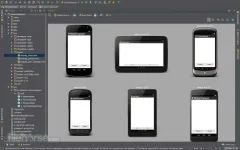
Virtual devices for all shapes and sizes
It comes pre-configured with an optimized emulator image. The updated and streamlined Virtual Device Manager provides pre-defined device profiles for common You do not have permission to view the full content of this post. Log in or register now. devices.
Android builds evolved, with Gradle
Create multiple APKs for your Android app with different features using the same project. Manage app dependencies with Maven. Build APKs from the Studio or the command line.
More about Android Studio:
- Built on You do not have permission to view the full content of this post. Log in or register now. Community Edition, the popular Java IDE by JetBrains.
- Flexible Gradle-based build system.
- Build variants and multiple APK generation.
- Expanded template support for Google Services and various device types.
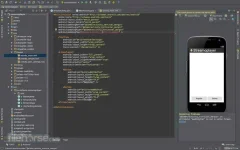
- Rich layout editor with support for theme editing.
- Lint tools to catch performance, usability, version compatibility, and other problems.
- ProGuard and app-signing capabilities.
- Built-in support for Google Cloud Platform, making it easy to integrate Google Cloud Messaging and App Engine.
Download link:You do not have permission to view the full content of this post. Log in or register now.

