 PH
PH- Requirements:
Windows XP / Vista / Windows 7 / Windows 8 / Windows 10
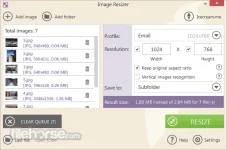
IceCream Image Resizer is a free program for You do not have permission to view the full content of this post. Log in or register now.. The application features bulk mode, drag&drop mechanism support, and also the support for popular image formats. The program supports JPG, JPEG, BMP, TIFF, and BMP files and allows users to convert files in a bulk. It's possible to use preset profiles for popular tasks, such as "Email", "Desktop", "320x200", "HD 1080p", "HD 720p", "iPhone 11", "iPhone 12" and "iPhone 12 Pro". Users can choose custom parameters by entering the desired values manually. Options like "Keep original aspect ratio" and "Vertical images recognition" help users take full control over the output images.
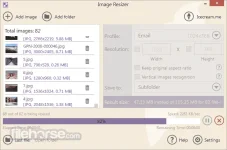
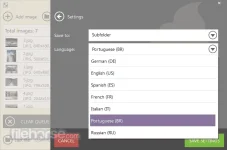
The result size of output files will be displayed after adding the files and configuring the settings. The program allows adding files one by one or importing an entire folder with multiple images and offers 3 convenient saving options (subfolder, same folder + prefix "mini", and any folder of choice). A user-friendly interface, attractive design, and a set of options make this application easy to use for both novice and advanced users. Image resizer by You do not have permission to view the full content of this post. Log in or register now. Apps is a program to resize images fast and free.
 Features and Highlights
 Drag-and-drop
Simply drag and drop to add photos for resizing. It saves you both time and effort.
PresetsChoose one of the sizes presets for popular tasks: You do not have permission to view the full content of this post. Log in or register now., email, mobiles, and more.
Original RatioResize images while retaining their original aspect ratio.
VR SystemYou do not have permission to view the full content of this post. Log in or register now. automatically applies reversed size settings for vertical images.

Download link:You do not have permission to view the full content of this post. Log in or register now.

