PH
PH Requirements:
Windows 7 / Windows 8 / Windows 10 / Windows 11
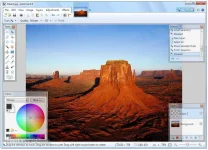
Paint.NET is a free image and You do not have permission to view the full content of this post. Log in or register now. that run Windows. It features an intuitive and innovative user interface with support for layers, unlimited undo, special effects, and a wide variety of useful and powerful tools. An active and growing online community provides friendly help, tutorials, and plugins.
It started development as an undergraduate college senior design project mentored by Microsoft and is currently being maintained by some of the alumni that originally worked on it. Originally intended as a free replacement for the Microsoft Paint software that comes with Windows, it has grown into a powerful yet simple image and photo editor tool. It has been compared to other digital photo editings software packages such as Adobe® Photoshop®, Corel® Paint Shop Pro®, Microsoft Photo Editor, and You do not have permission to view the full content of this post. Log in or register now..
Features and Highlights
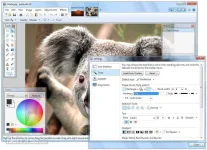
Simple, intuitive, and innovative user interfaceEvery feature and user interface element was designed to be immediately intuitive and quickly learnable without assistance. In order to handle multiple images easily, Paint.NET uses a tabbed document interface.
PerformanceExtensive work has gone into making Paint.NET the fastest image editor available. Whether you have a netbook with a power-conscious Atom CPU or a Dual Intel Xeon workstation with 8 blazingly fast processing cores, you can expect the app to start up quickly and be responsive to every mouse click.
LayersUsually only found on expensive or complicated professional software, layers form the basis for a rich image composition experience. You may think of them as a stack of transparency slides that, when viewed together at the same time, form one image.
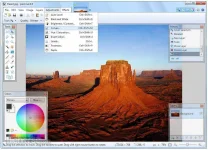
Special EffectsMany special effects are included for enhancing and perfecting your images. Everything from blurring, sharpening, red-eye removal, distortion, noise, and embossing are included. Also included is the unique 3D Rotate/Zoom effect that makes it very easy to add perspective and tilting.
Powerful ToolsPaintNET includes simple tools for drawing shapes, including an easy-to-use curve tool for drawing splines or Bezier curves. The Gradient tool, new for 3.0, has been cited as an innovative improvement over similar tools provided by other software. The facilities for creating and working with selections is powerful, yet still simple enough to be picked up quickly.
Unlimited HistoryEverybody makes mistakes, and everybody changes their mind. To accommodate this, every action you perform on an image is recorded in the History window and may be undone. Once you've undone an action, you can also redo it. The length of the history is only limited by available disk space.
Note: Paint.NET also depends on the latest You do not have permission to view the full content of this post. Log in or register now., which is automatically installed if it isn't already on the system.
Download link:You do not have permission to view the full content of this post. Log in or register now.